Electronic signature for business PDFs

ElectronicsignaturetoolsforPDFsyourbusinesscansendandtrack.

Upload a PDF, add signing spots, email the signer, send reminders, and download the signed file with a clear summary.

Step 1 / 5 · Business PDF

Choose Business Mode

Upload
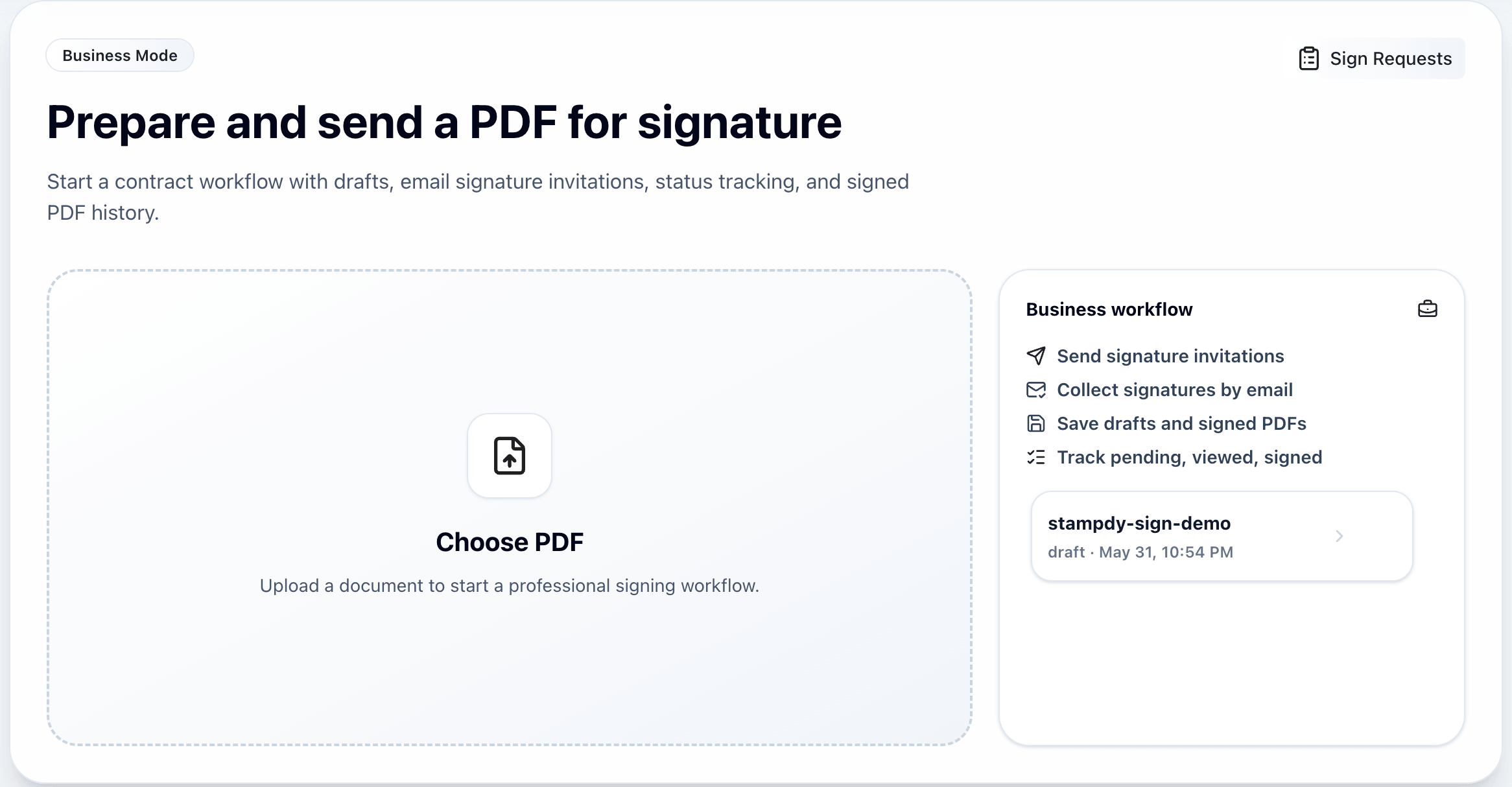
Stampdy Business Mode upload screen for starting an electronic signature PDF workflow

Upload one business PDF and start the signing workspace.

1/5

Business PDF signing

From PDF to completed signature, without extra back-and-forth.

Add signing spots before sending, guide each person by email, and keep the final file easy to find.

View requests
1

Prepare the PDF

Upload a business document, add stamps or signatures, and save it for later if needed.

2

Mark signing spots

Drag signature positions onto the PDF preview so every recipient knows where to sign.

3

Send the request

Email signing links with expiration, automatic reminder settings, and optional access-code verification.

4

Track completion

See what is pending, viewed, or signed before downloading the final files and summaries.

Built around the business request

More than a signature generator.

Free PDF signing covers stamps, signature maker tools, a signature generator, placement, and export. Business Mode adds shared signing steps that another person can complete from an email link.

Free PDF signing

Edit a PDF, add stamp images, create a signature, adjust placement, and export.

Business Mode

Send email requests, save cloud history, remind signers, track status, and download summaries.

Best fit

Free mode fit

Best for one-off edits when you do not need saved history, signer emails, or status updates.

Tradeoff

Business tradeoff

Requires sign in and a paid plan, but keeps PDFs, access codes, reminders, and signed files together.

Digital signature maker

Draw, type, upload, and reuse digital signature assets with a simple signature generator.
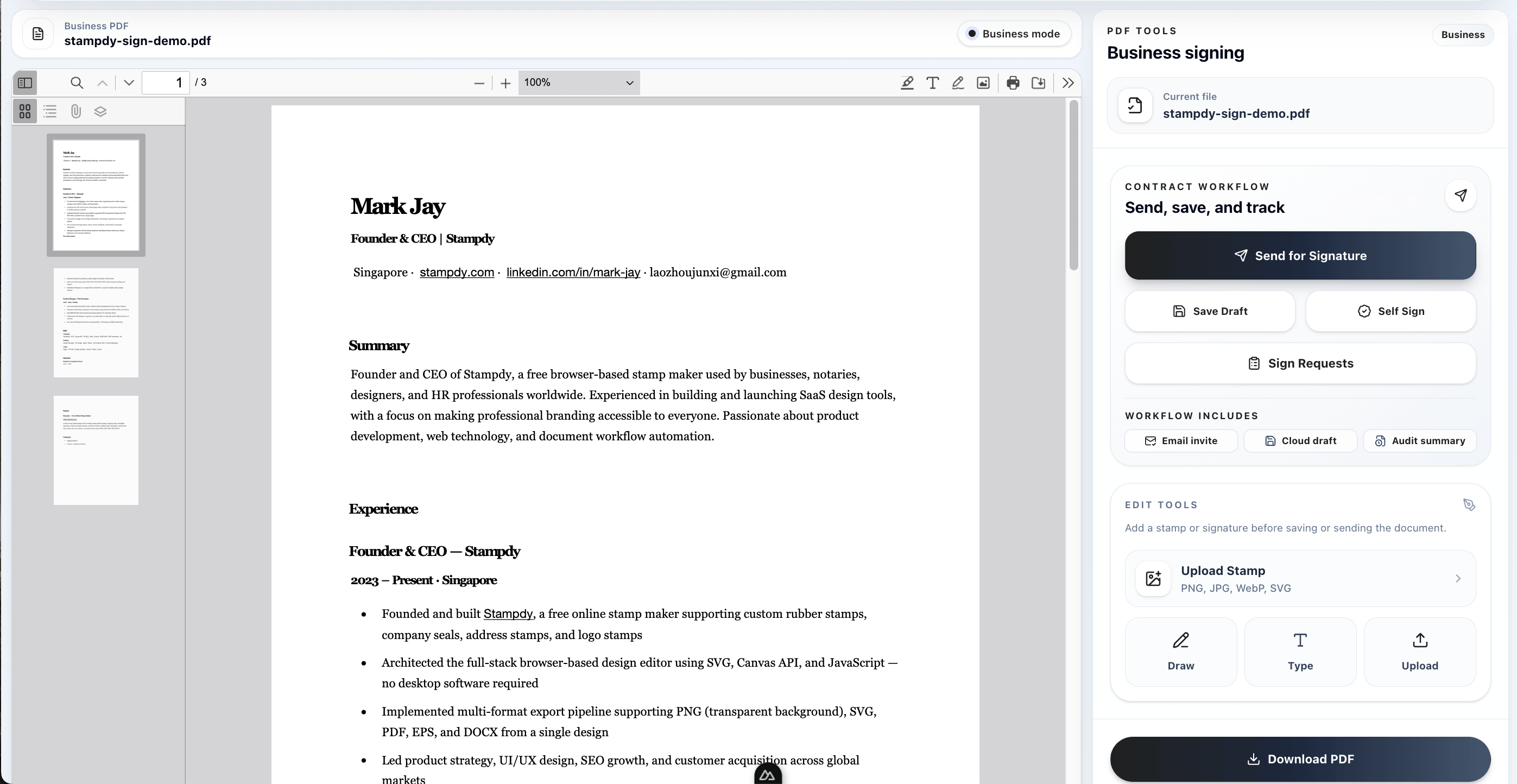
Email signing flow

Invite recipients to sign from a focused link instead of passing files back and forth.
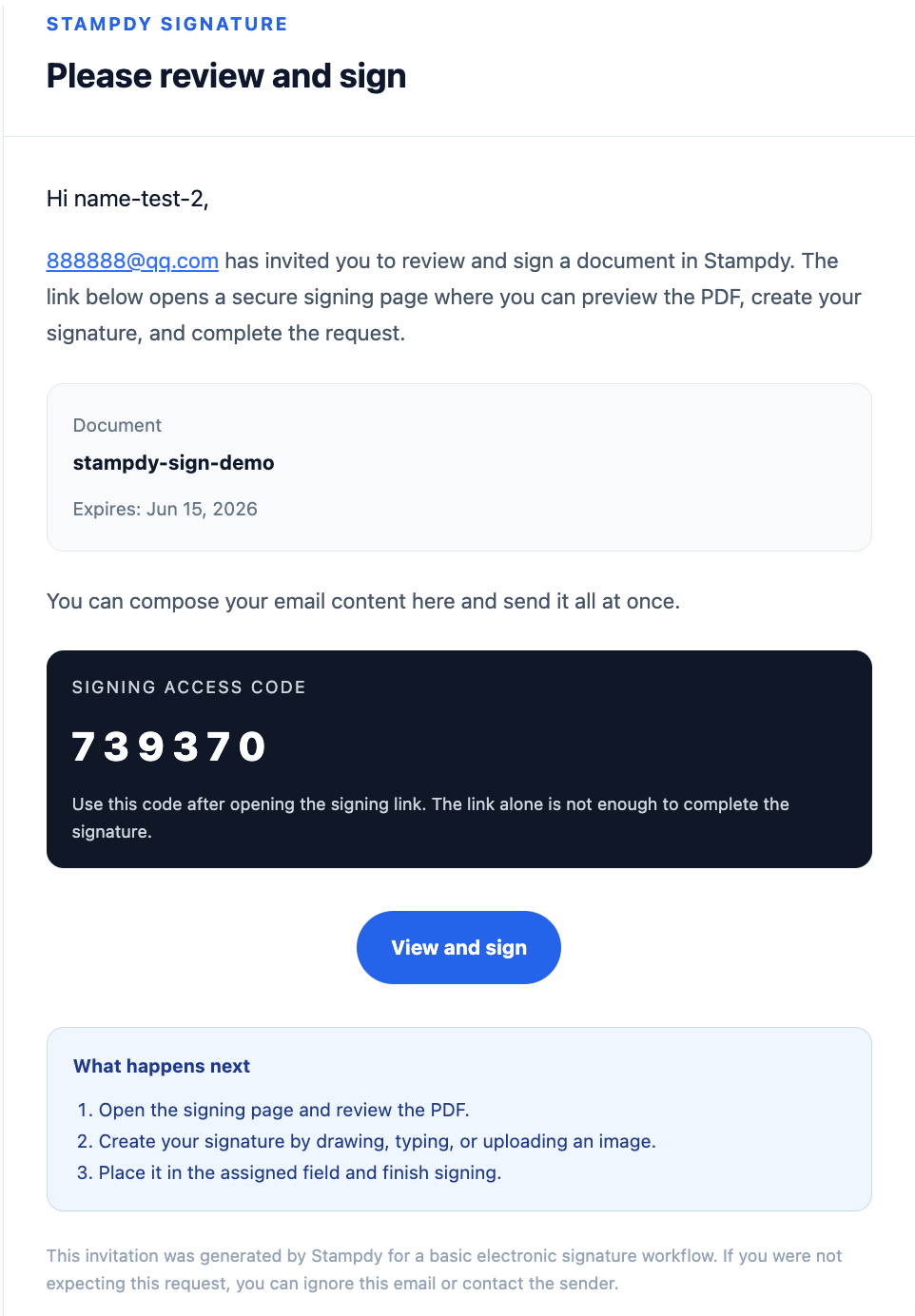
Recipient verification

Require an email-delivered access code before a recipient can view and sign the document.

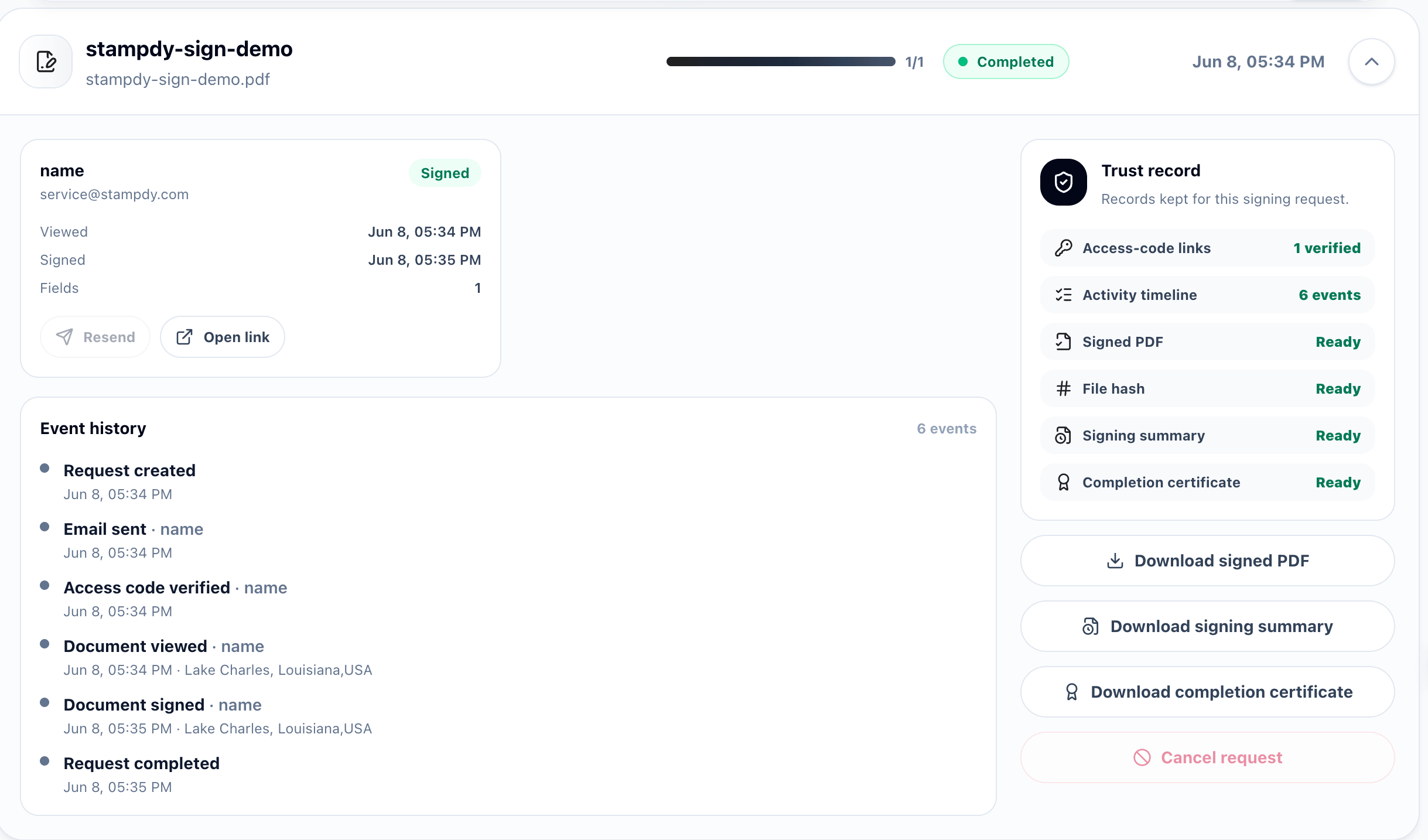
Saved PDFs and history

Keep uploaded PDFs, signed versions, and saved signatures in one place.

Tracking and summary

See who has viewed or signed, then download the signed PDF and a simple summary.
Reminder and expiry controls

Set request expiration and reminder frequency so pending signers get follow-up without manual chasing.

Why this helps

Build the request once, then let each signer see exactly where to act.

Clear assignment

Signing spots are added before the email request is sent.

Less follow-up

Expiration and reminder settings make pending requests easy to follow.

Ready history

Status updates, signed PDFs, and summaries stay with the document.

Request preview

The request is prepared before the signer opens the link.

Upload the PDF, add the signing details, and keep the final file with the same request.

Customer comments

What business teams notice after moving PDF approvals into Stampdy.

Short notes from everyday signing work: vendor forms, HR packets, service approvals, and contracts that need a clear status trail.

Electronic signature

"Electronic signature requests finally feel simple for our vendor onboarding. I upload the PDF, mark two fields, and the supplier knows exactly what to do."

Maya Chen avatarMaya ChenOperations lead
digital signature

"The digital signature step is clear enough for seasonal staff. Nobody asks which page to sign anymore, and the completed PDF comes back with the request history."

Jon Reyes avatarJon ReyesHR coordinator
signature generator

"I use the signature generator when a client needs a quick approval on a service addendum. It is not flashy, but it removes the back-and-forth."

Amelia Stone avatarAmelia StoneAccount manager
signature maker

"The signature maker is useful for people who only sign a few documents each month. They can draw or type a signature and finish without installing anything."

Devon King avatarDevon KingStudio owner
smart contract management

"For smart contract management work, the status view matters as much as signing. We can see viewed, signed, and downloaded files in one place."

Nora Patel avatarNora PatelLegal operations

Pricing

Start free for PDF signing, then upgrade when you need to send documents for signature.

Detailed Stampdy pricing

Free PDF signing

$0
No login

For quick PDF edits, signatures, stamp images, and local export.

Try free PDF signing
  • PDF editing and placement tools
  • Draw, type, or upload signatures
  • Stamp image upload
  • Export edited PDFs

Business Monthly

$9.9/ month
Popular

For recurring signature requests and everyday business document work.

  • Everything in Free PDF signing
  • Up to 30 signature requests per month
  • Email signing and automatic reminders
  • Cloud drafts, history, and summaries

Includes Stampdy membership benefits. See plan details .

Business Yearly

$89/ year
Best value

For higher annual signing volume plus the full Stampdy membership bundle.

  • Everything in Business Monthly
  • Up to 500 signature requests per year
  • Priority technical support
  • Annual stamp and signing benefits

Includes Stampdy membership benefits. See plan details .

Business electronic signature

Prepare the PDF, send the request, and keep the signed result in one place.