Use visible color contrast
Red, blue, or dark ink on a light page is easier to isolate than ink that matches nearby text.
Included with Premium access
Upload a photo or scanned document, click the stamp color, and isolate the mark as a clean transparent PNG. Fine-tune color matching, edges, cropping, recoloring, and outlines in your browser.
PNG, JPG, or WebP up to 40 MB. For best results, use a sharp image with a clearly different stamp color.
Or paste an image Ctrl V
How it works
The extractor compares every pixel with the ink color you choose. Matching pixels stay visible while the rest become transparent, so the result can be placed on PDFs, certificates, invoices, or new designs.
Use the document, scan, or photo that contains the stamp you want to isolate.
Click an ink pixel in the source preview or enter an exact hex color.
Adjust sensitivity, transparency, smoothing, crop, recoloring, and outline settings, then save the PNG.
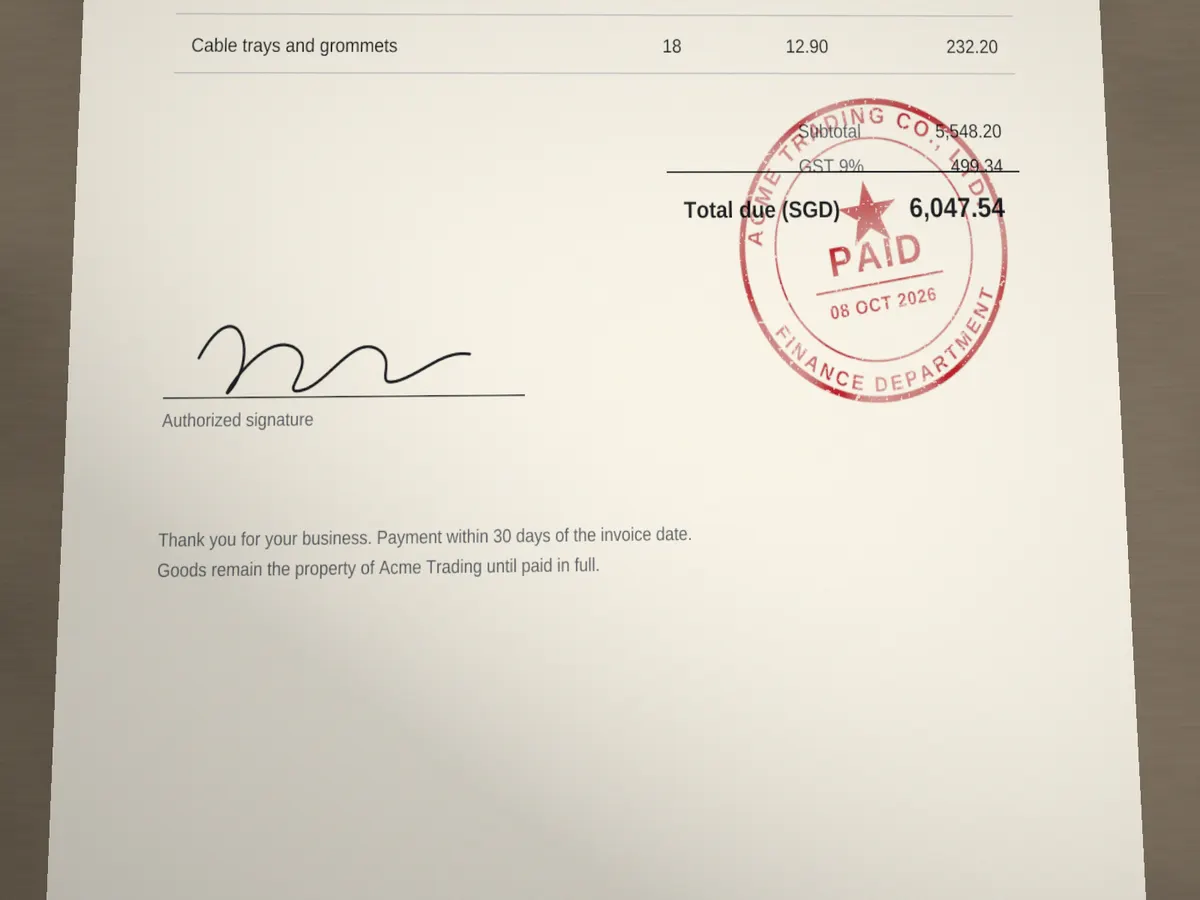

Start with the exact ink color, then make small sensitivity changes. High sensitivity captures faded ink but can also include text or paper tones that are close to the stamp color.
Red, blue, or dark ink on a light page is easier to isolate than ink that matches nearby text.
Raise the value until faded areas appear, then stop before unrelated colors enter the result.
A small radius softens scan noise. A large radius can blur thin letters and border details.
Extraction runs locally in your browser; the source image is not uploaded for processing.
Practical answers for scans, photos, backgrounds, color matching, and output quality.
Click a solid ink area inside the stamp. Avoid paper, shadows, antialiased edges, or glare. You can also enter the exact hex color.
Yes. Transparent background is enabled by default. You can instead choose a solid background color before downloading the PNG.
Increase sensitivity when faded ink is missing. Decrease it when text or page colors are selected. Sampling a more representative ink pixel also improves the result.
No. The color extraction runs in your browser. Your image stays on your device unless you choose another Stampdy feature that explicitly uploads a file.
After isolating the ink, trim the transparent file with crop stamp, rebuild it in the stamp maker, explore new directions with stamp generators, or convert other artwork with the stamp maker online free.
add stamp background: Place a solid or translucent color behind the transparent pixels while preserving the original stamp size and ink.
Continue: rotate stamp online, resize stamp online.