EPS Is Now Included: One-Click Downloads in PNG, SVG, PDF, DOCX + EPS
EPS Is Now Included: One-Click Downloads in PNG, SVG, PDF, DOCX + EPS
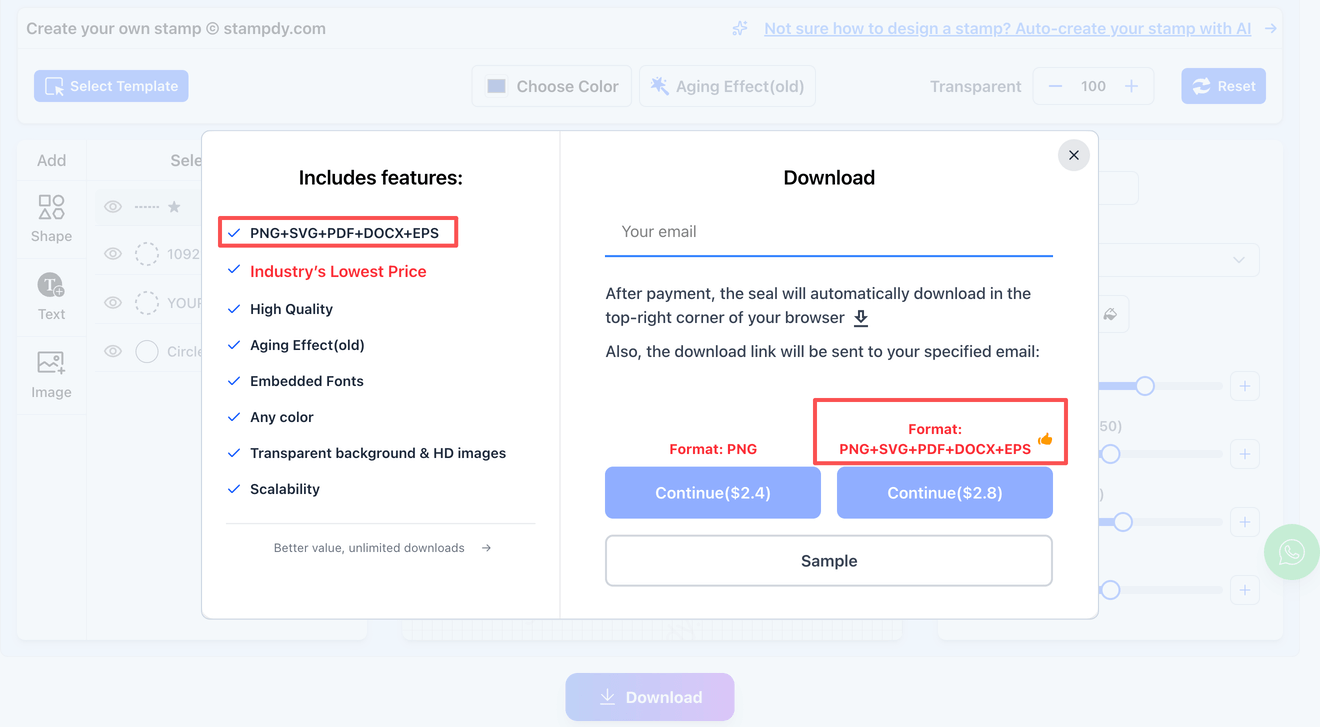
If a print shop or manufacturer has ever asked for a “vector file,” EPS is often the format they mean—and it’s now available on StampDy with the same one-click download flow you already use. EPS export is included alongside PNG, SVG, PDF, and DOCX, with no format-based add-on pricing.
What changed on StampDy
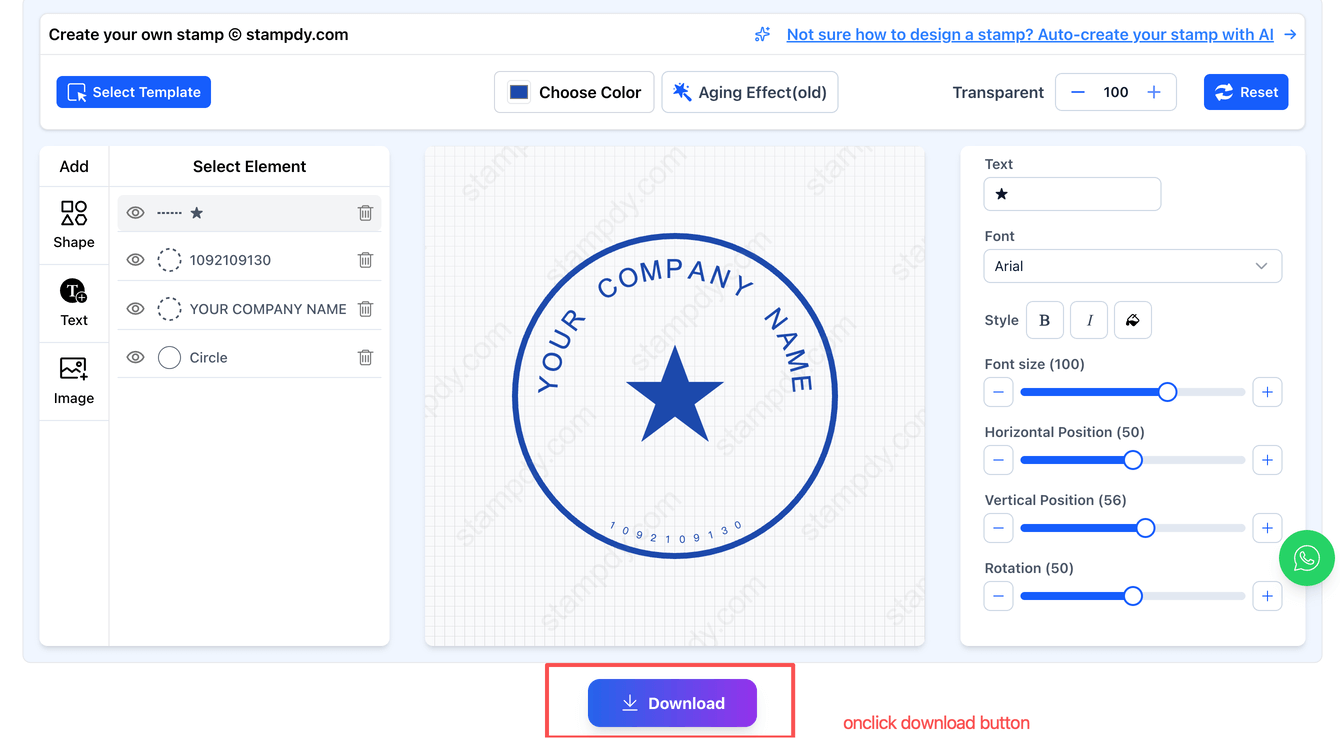
StampDy’s online stamp editor lets you build a stamp design directly in the browser (no software installs), using basic building blocks like shapes, text, and images. It’s designed to be simple enough for non-designers while still covering common real-world use cases like business stamps, company seals, and signature-style layouts.
The upgrade is straightforward: EPS has been added as an export option, so you can download your stamp in PNG, SVG, PDF, DOCX, and EPS from the same project. StampDy also keeps file access under one flat price rather than charging extra by format, which means EPS comes in the same package instead of being treated as a premium export.
If your workflow includes revisions, it also helps that StampDy supports saving a design and coming back later—useful when a vendor replies with “please move this text slightly” or “make the border thicker.” And since the tool works in the browser, it fits naturally into modern “send a proof, get feedback, update, re-export” loops.
EPS in plain English
EPS stands for Encapsulated PostScript, a long-running graphics format commonly used in design and print workflows. EPS is especially associated with vector artwork, which can be scaled up or down without the quality loss that happens with pixel-based images.
That “scales cleanly” benefit is exactly why EPS is frequently used for logos, marks, and stamp-style graphics—anything built from crisp lines, shapes, and text. In practical terms, an EPS file is often easier to send to a print shop than an app-specific working file, because EPS is meant to travel between different tools and production pipelines.
When EPS makes life easier
EPS becomes valuable the moment your stamp leaves the “I just need it in a document” stage and enters the “someone is going to manufacture or print this” stage. A few common scenarios:
- Ordering a physical rubber stamp or seal: Vendors often prefer a vector file so edges stay sharp and the design remains accurate at different stamp sizes.
- Working with print shops or sign/merch vendors: EPS is widely recognized in print-oriented workflows, and it’s commonly described as a “ready to send” vector format.
- Avoiding last-minute format requests: When a vendor asks “do you have EPS?”, having it ready prevents you from rebuilding the artwork elsewhere or paying a designer for a quick conversion.
For many users, this is the sweet spot: build the layout quickly with a stamp maker you already understand, then export EPS when a production partner needs it. That’s also why EPS is a meaningful addition even if you rarely touch it—because the one time you do need it, you usually need it fast.
Picking the right download format
With StampDy’s download set, each format can serve a different “last mile” use case. A simple way to think about it:
- PNG: Great for everyday digital use (pasting into slides, emails, simple graphics) because it behaves like an image.
- SVG: Useful when you want a web-friendly vector format or you’ll keep editing in vector tools later.
- PDF: Handy for sharing a proof-like document format that most people can open easily.
- DOCX: Convenient when your stamp needs to live inside Microsoft Word workflows.
- EPS: A strong choice for print and production handoff, since EPS is a vector-based format commonly used for scalable artwork.
This mix is also good wise for how people actually search: some visitors land looking for a stamp generator for quick results, while others need an online rubber stamp creator that can output production-friendly files. Adding EPS helps cover the second group without taking anything away from the first.
How to export EPS (and everything else) in one go
Inside StampDy, the typical flow is: choose a template (or start from scratch), add your text, upload an image if you want a logo, and adjust layout details until it looks right in the preview. When you’re ready, export using the site’s download options—now including EPS along with PNG, SVG, PDF, and DOCX.