Introducing the AI Stamp Creator on StampDy: From Idea to Stamp in Minutes
Introducing the AI Stamp Creator on StampDy: From Idea to Stamp in Minutes
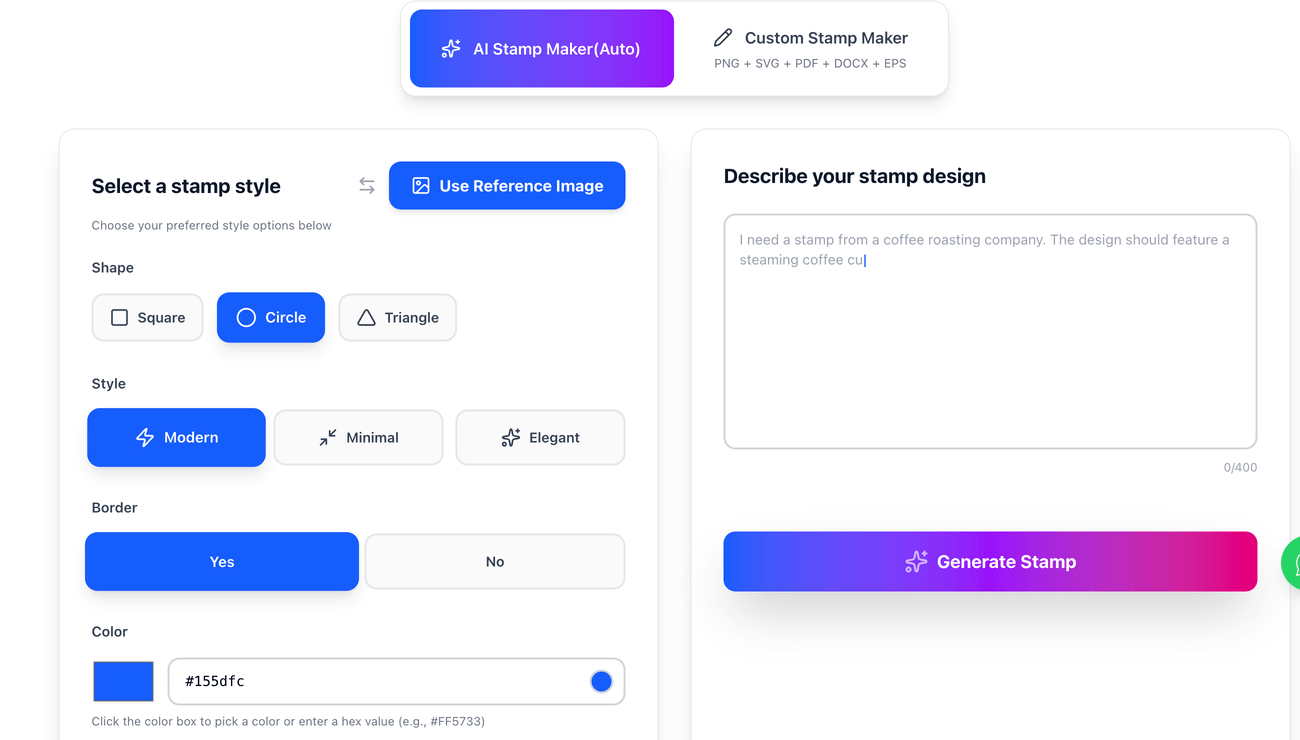
StampDy has added a new feature called the AI Stamp Creator, a browser-based assistant that helps turn a plain-English description into a finished stamp design you can refine and export. Instead of starting from a blank canvas (or outsourcing a first draft), the tool focuses on a simple loop: describe what you want, review a proposed layout, then refine it until it matches your needs.
What the AI Stamp Creator is
The AI Stamp Creator is designed to help users imagine, shape, and export professional-quality stamps with less design friction. StampDy positions it as a workflow where the user stays in control of the final look while AI speeds up ideation, layout, and refinement. The page also highlights that the system understands structure and symmetry, offers sensible typography defaults, and aims to produce a balanced first draft quickly.
Read More:-EPS Is Now Included: One-Click Downloads in PNG, SVG, PDF, DOCX + EPS
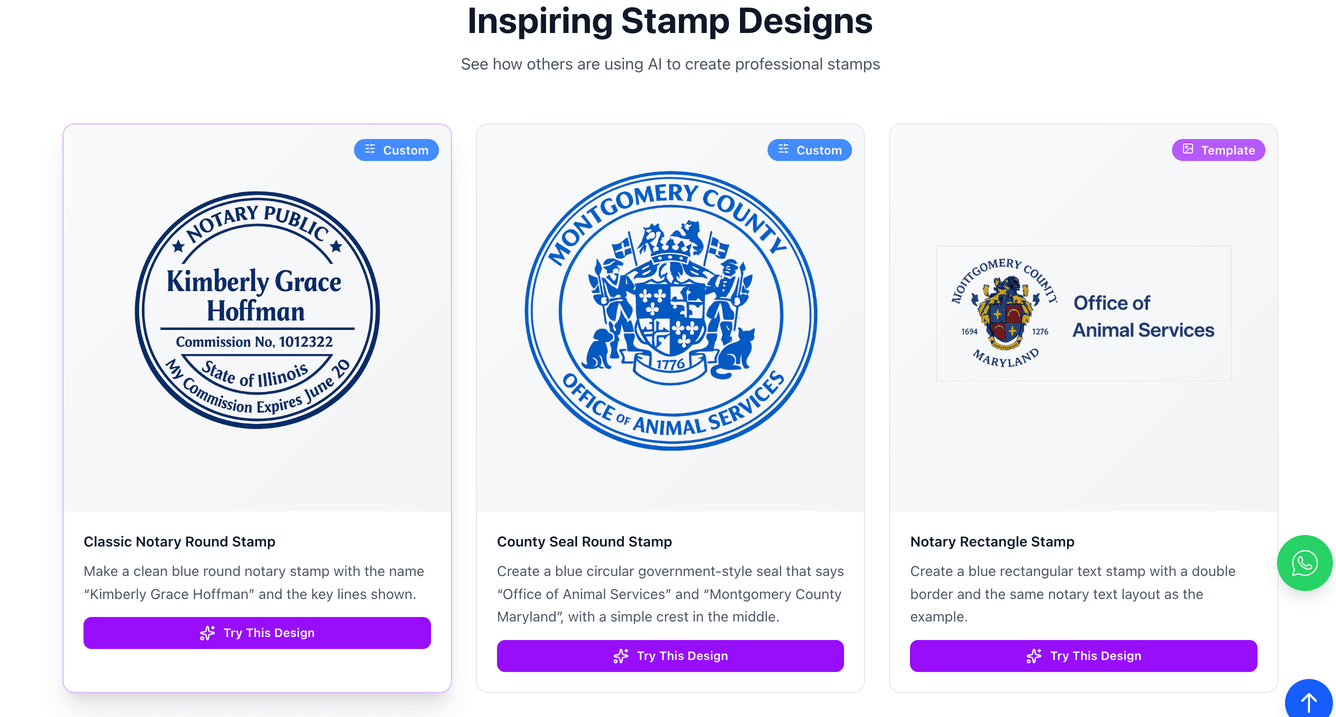
In practical terms, StampDy describes this as a way to generate items like company seals, signature stamps, departmental marks, notary-style layouts, and wedding monograms in minutes. This is useful whether someone arrives looking for a quick stamp maker for office paperwork or a more flexible stamp generator to explore multiple layout directions.
How the workflow feels (describe → refine → export)
The core interaction is intentionally straightforward: you describe the goal, the system proposes, and you approve—then iterate if needed. StampDy notes you can fine-tune details such as text content, alignment, shapes, borders, spacing, colors, and export formats. The page also emphasizes speed: the loop is “deliberately short,” designed to help you finish before the next meeting instead of getting stuck perfecting a first draft.
If you’ve used a traditional online rubber stamp creator before, the difference here is the starting point. Rather than manually building every element from scratch, the AI approach is meant to give you a credible layout foundation, then let you make targeted edits where they matter.
Read More:-Medical Stamps That Actually Work: Clarity, Compliance, and Daily Workflow
Real-world uses (and why they work)
StampDy calls out several common scenarios where the AI Stamp Creator shines, and the examples are grounded in practical stamp needs.
- Company seals for contracts and internal approvals often benefit from clean structure (outer ring for company details, inner area for a logo or number) and legible type that holds up under ink.
- Status stamps like “RECEIVED,” “PAID,” “APPROVED,” and “CONFIDENTIAL” work best with bold letterforms, generous spacing, and thoughtful contrast so they remain obvious even on copies.
- Notary-style layouts prioritize symmetry and legibility, and the page suggests following local requirements (dimensions/elements) while using the tool to align details into a cohesive design.
- Wedding monograms and keepsake-style stamps can stay elegant and readable by pairing restrained borders with careful type choices, and the page mentions using subtle “aging effects” if a vintage look fits the occasion.
- Teachers, creators, and studios can standardize repeatable marks across different sizes instead of rebuilding layouts by hand.
This variety matters because stamp work is rarely one-size-fits-all. The same person might need a crisp, formal seal today and a playful packaging mark tomorrow, and StampDy explicitly notes you can save multiple variations (formal, condensed, minimal, decorative) and pick what fits the moment.
Exports, ownership, and working across tools
StampDy frames the output as “instantly exportable files” that fit into everyday workflows such as Word documents, PDF editors, printer workflows, and digital sign-off tasks. The AI Stamp Creator page specifically mentions exporting to PNG, SVG, and PDF, aligning with common needs like quick sharing (PNG) and scalable vendor handoff (SVG/PDF). It also states that exports are watermark-free when you finalize your design, and it emphasizes that “your content is yours,” with the AI positioned as an accelerator rather than a claimant of authorship.
There’s also a practical mobility angle: the page says you can review, tweak, and export on mobile, while noting that desktop can be better for fine-grained alignment and print-scale checks. For teams, that means a smoother loop when feedback arrives mid-day—make the edit, export again, and move on.
Tips for better results (prompting like a brief)
StampDy’s guidance treats the prompt as a short design brief rather than a magic spell. The page recommends focusing on outcomes and hierarchy—shape, size, what goes in the outer ring vs center, tone, and legibility—then refining details like border weight and spacing after you see a first draft. It also repeatedly reinforces a “clarity first” mindset: stamps live small, so readable type, balanced spacing, and sturdy shapes matter more than decorative complexity.
If the goal is to use this as a dependable stamp generator (not just a one-off experiment), try keeping a few reusable prompt patterns. For example, create one “formal seal” prompt template, one “bold status stamp” template, and one “minimal packaging mark” template, then reuse them when you need a fast result from your stamp maker workflow. Over time, this builds a small library of layouts you can rely on—exactly the kind of repeatable momentum StampDy highlights as the quiet advantage of AI-assisted stamping.