Receipts and invoices
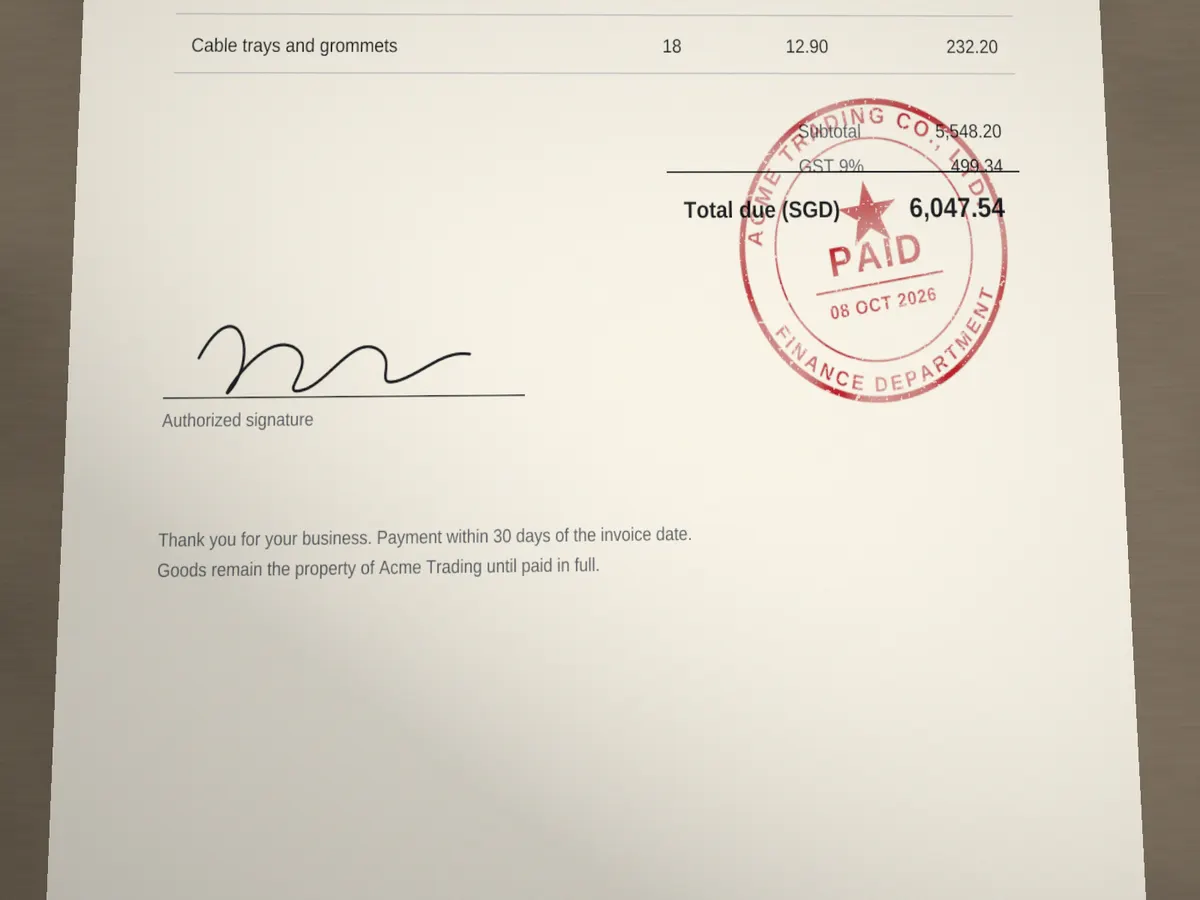
Mark a photographed bill as paid, received or approved before you file or send it.
Free tool · no sign-up needed
Place your stamp or seal on any photo, make it look like real ink, and download a JPG, PNG or printable PDF. Free, and nothing leaves your browser.
JPG, PNG, WebP or HEIC up to 60 MB. iPhone photos work as they are.
Or paste an image Ctrl V
How it works
Your stamp is multiplied with the photo, so the paper’s grain, folds and shadows show through the ink instead of sitting under a flat sticker. Drag it into place, tilt it the way a hand would, and soften it with opacity or a worn ink texture.
Photos open at full resolution, HEIC files from iPhone included, and everything runs in your browser. Nothing is uploaded, and the download keeps the photo’s original size.
Drop a JPG, PNG, WebP or HEIC photo, or paste one from the clipboard.
Upload a stamp image or pick one from My Library, then move, resize and rotate it.
Save the photo as JPG or PNG at full resolution, or as a PDF on A4, A3, A5 or Letter.
Use cases
When the paper is already in a photo, stamping the photo saves printing, stamping and scanning it again.
Mark a photographed bill as paid, received or approved before you file or send it.
Add your company stamp to a photo of a delivery note or form instead of printing it again.
Show a quality-check or brand stamp on product photos for listings and catalogues.
Multiplying lets the paper show through the ink, which is what makes a stamp look real.
A rotation of 3 to 10 degrees looks like a stamp pressed by hand.
On dim or low-contrast photos, lower the opacity a little so the ink does not look too fresh.
Your photo and stamps are processed in your browser and never leave your device.
Cost, iPhone photos, realistic ink, My Library and privacy.
Yes. Adding stamps to photos and downloading the result is free and needs no account. You only sign in to use stamps saved in My Library.
Yes. HEIC and HEIF photos open directly, and every photo is turned the right way up using the rotation the camera recorded.
Keep "Blend with the photo" on, tilt the stamp a few degrees, lower the opacity slightly and try the Light or Worn ink texture.
Yes. Sign in and pick a saved design. Subscribers place the clean full-resolution stamp; free accounts place the watermarked preview.
No. The photo, the stamps and the finished file are processed in your browser and are never sent to our servers.
Need a stamp first? Design one in the stamp maker. To stamp PDF documents, use the PDF stamp editor.