Invoices and quotes
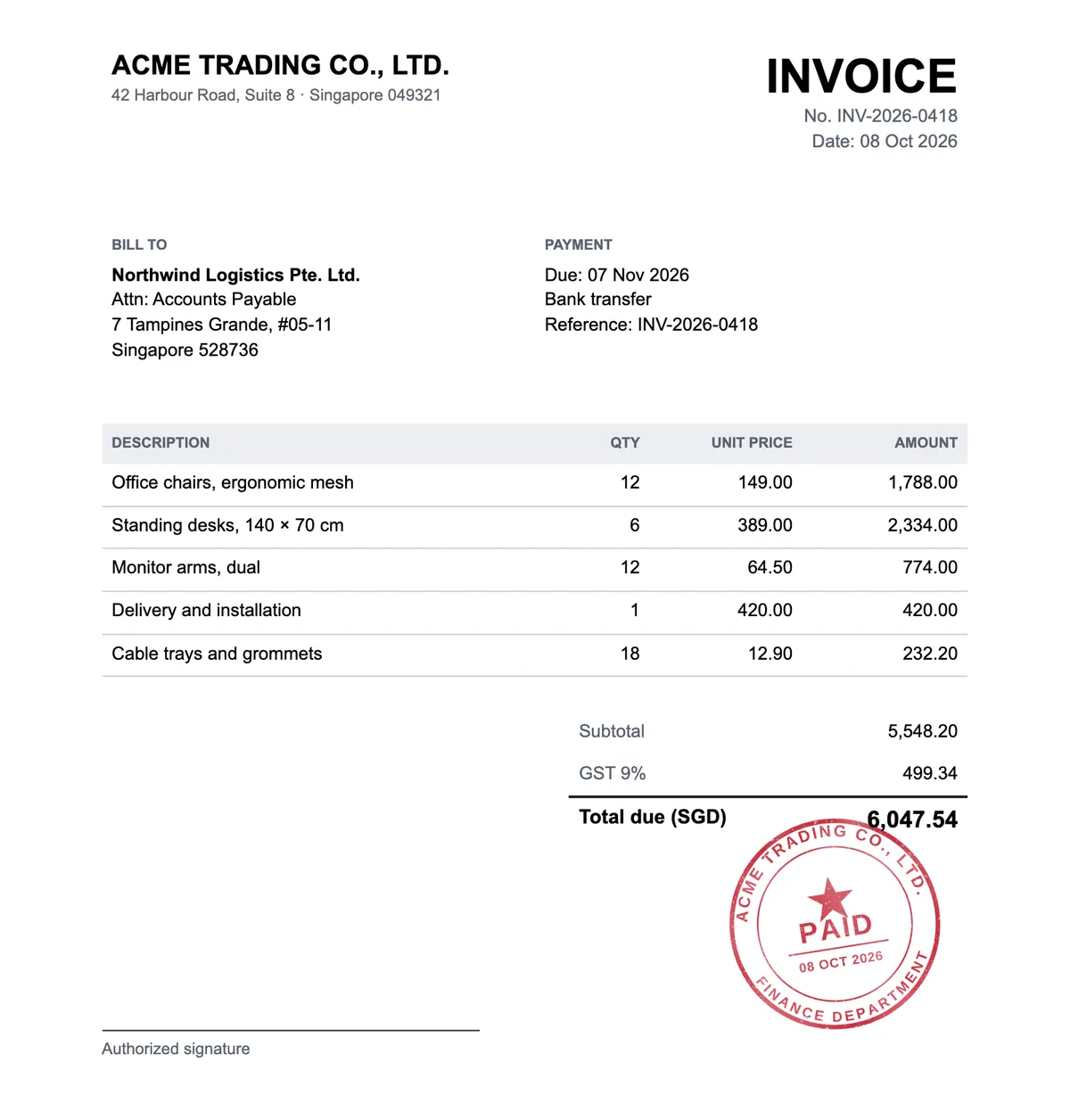
Mark an invoice or quote as paid, approved or confirmed before you send it to a customer.
Free tool · no sign-up needed
Open a .docx file, place your stamp or seal on any page and download the stamped document as a PDF. Free, and the file never leaves your browser.
DOCX files up to 50 MB. Save older .doc files as .docx in Word first.
How it works
Your .docx file opens page by page in your browser, with its text, tables and pictures. Place your stamp where it belongs, on as many pages as you need, and blend it in like ink pressed onto paper.
The stamped document downloads as a PDF, ready to email or archive. Nothing is uploaded: the document, the stamps and the PDF stay on your device.
Drop a .docx file or choose it from your device. Every page is shown as in Word.
Upload a stamp image or pick one from My Library, then move, resize and rotate it on any page.
Save the stamped document as a PDF, or print it from your browser.
Use cases
Contracts, invoices and letters are often written in Word and need a company stamp before they go out.
Mark an invoice or quote as paid, approved or confirmed before you send it to a customer.
Add the company seal to every page of a contract without printing and scanning it.
Put your official stamp on letters, certificates and confirmations written in Word.
A new stamp goes on the page you are looking at. Scroll to the page first, then add the stamp.
New stamps start at 42 mm across, the size of most company seals. Resize yours if it is different.
When this device does not have a font the document uses, a similar one takes its place. Check the line breaks before you send the PDF.
Your document and stamps are processed in your browser and never leave your device.
Cost, file types, page layout, My Library and privacy.
Yes. Adding stamps to Word documents and downloading the PDF is free and needs no account. You only sign in to use stamps saved in My Library.
Only .docx files can be opened. Open an older .doc file in Word or another word processor, save it as .docx and try again.
Very close. Text, tables, pictures, headers and footers are laid out in your browser, so line breaks can differ slightly when a font is missing. Check every page before you send the PDF.
No. The stamped document is saved as a PDF, which looks the same on every device and is hard to change.
Yes. Sign in and pick a saved design. Subscribers place the clean full-resolution stamp; free accounts place the watermarked preview.
No. The document, the stamps and the finished PDF are processed in your browser and are never sent to our servers.
Need a stamp first? Design one in the stamp maker. To stamp a PDF, use the PDF stamp editor, and for photos of paper documents, use Add Stamp to Photo.