Stamp Maker Online: Teacher Feedback Stamps With a Clear Next Step
A useful teacher feedback stamp tells a student what a mark means or what to do next. Before opening a stamp maker online, decide whether you are recognizing something, requesting a revision, or recording a completed check. Those are different messages, even when they use the same border and color.
Start with one recurring comment from your own marking routine. Keep the part that applies across assignments in the stamp, and write the student-specific detail beside it. Read the work before choosing the message: a reusable prompt still needs to fit the answer in front of you.
Start the Stamp Maker Online Design With One Action
Draft the sentence you would otherwise write by hand. Then ask which part genuinely repeats across assignments. “Explain how you chose this answer” is a possible prompt. “Fix this” is shorter, but leaves the student to guess what needs attention.
Use a verb that points to an observable action: explain, label, compare, underline, or check. That does not mean every prompt must begin the same way. It means the student should be able to identify a task without interpreting a private code known only to the teacher.
Keep the stamped wording narrow enough to match the work. A stamp saying “Label the units” is appropriate only when that is the issue. A generic instruction used on unrelated tasks can be technically legible yet educationally unhelpful. If the needed comment varies too much, leave it handwritten instead.
Do not force an entire marking rubric into a small rectangle. Pick the recurring instruction, then reserve adjacent space for the detail that changes. For example, a reusable “Add evidence” prompt could be followed by a handwritten reference to the relevant paragraph. The prompt and the location work together.
Separate Recognition, Instructions, and Status
Recognition describes something about the submitted work. An instruction asks for an action. Status records where the work is in a process. Keeping these roles distinct helps you choose words that match what has actually happened.
Consider three hypothetical messages:
- “Clear labels” recognizes a visible feature of the work.
- “Label each axis” requests a specific addition.
- “Labels checked” records that a check has taken place.
These are not interchangeable versions of the same stamp. The second does not say the first or third is true. Choose the role before adjusting the font, and avoid symbols that obscure the difference. A tick beside a revision request could be misread as a completed check unless the wording resolves it.
The Text Stamp collection provides examples of short labels inside simple frames. Its existing wording should be evaluated, not copied merely because it fits.
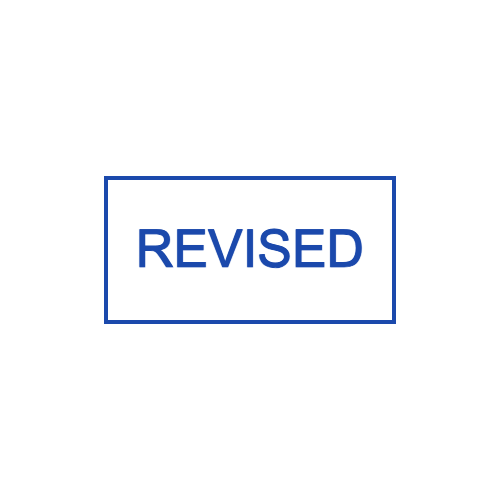
REVISED is an existing template label. It describes a state; it does not tell a student what to revise.
If you need to request a change, replace a status word with the actual instruction. If you use a completed-status stamp, decide what must have happened before applying it. The design tool cannot determine whether a student has completed that action.
Choose a Phrase by Testing Its Missing Context
Read the proposed stamp without the assignment beside it. What information is missing? Some phrases remain understandable, while others rely on a location, example, or explanation that the stamp cannot supply.
“Show your working” may suit a particular calculation, but it does not identify which calculation. A small handwritten arrow or question number can supply the missing location. “More detail” leaves more unresolved: the student may need to know which point, what kind of detail, and how it relates to the task.
For recognition, prefer wording you can justify from the work in front of you. “Your headings help me follow the explanation” is specific, but may be too long for a compact stamp. A shorter phrase such as “Helpful headings” leaves room for a note about where the structure worked well.
Be cautious about broad labels that appear to judge the student rather than the submission. The aim of this design exercise is a clear message about a piece of work. It is not to invent a ranking system, a public comparison, or a substitute for an explanation.
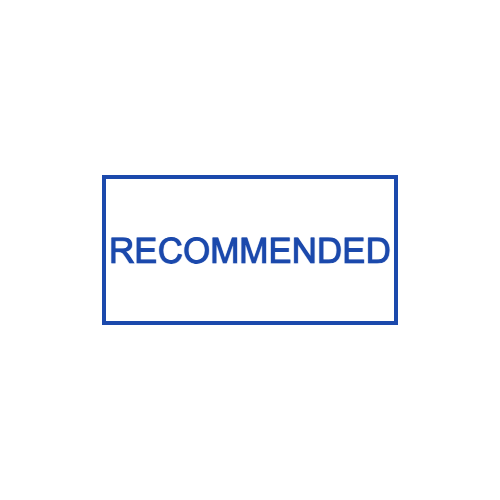
This existing one-line template illustrates a compact message area. The sample word is not a ready-made classroom feedback policy.
A phrase can fit beautifully while still being wrong for the intended use. Approve the meaning first. Treat the template's geometry as a starting point for your wording, not as permission to use its original claim.
Leave Space for the Part That Cannot Be Repeated
Decide where the stamp will sit on a typical worksheet. A narrow margin, an empty feedback box, and the bottom of an exercise page offer different amounts of space. Choose from an actual blank copy of the material rather than imagining an unlimited white page.
The stamped area should not cover the student's answer or the teacher's existing notes. It also needs room for the variable part of the feedback. A large badge might look inviting on an empty screen but occupy the only useful writing space on the page.
If you add a handwritten field, make its purpose explicit. A line labeled “Question” invites a question reference; an unlabeled blank could be mistaken for a place to sign. Test the space with an ordinary pen and the longest entry you expect, not just a neat single digit.
Keep decorative school imagery secondary to the instruction. A book or star can give the design character, but it should not force the task into tiny curved lettering. The School Stamp category offers other visual starting points; check every sample word and symbol before adapting one for feedback.
Build a Small Revision Slip Before Making a Whole Set
For a sample revision slip, use the prompt “Add one supporting example,” with a handwritten line beneath it labeled “For this point.” This gives the stamp one job: request an example while leaving the location for the teacher to specify.
On a blank revision slip, place the prompt above enough space for the student's response. Under it, write a realistic reference such as “the claim in paragraph two.” Now check whether the stamped instruction, teacher's note, and student's response have visibly different places.
Next, change the example to a longer reference. If the teacher's note no longer fits, increase that area or use a separate note rather than squeezing it between the stamp and the student's answer. The test should expose the layout's limits before you create several related stamps.
Finally, read the slip without remembering your original intention. Can you tell what must be added and where it belongs? If not, revise the wording. A darker color or heavier border will not resolve an ambiguous instruction.
Only expand the set when each proposed phrase serves a different recurring need. Five near-synonyms for “good work” do not necessarily give you more useful options than one clear recognition mark and space for a personal sentence.
Edit the Text and Check the Language
In the Stampdy editor, use the available text elements to enter your chosen phrase and adjust its arrangement. Starting from a text template can preserve a simple frame while you replace the sample message. Review the complete design for leftover wording before exporting anything.
Use capitalization consistently, but do not assume a full line of capitals is necessary because the preview uses it. Compare the actual phrase in the style you intend to use. Check whether punctuation changes the tone: a question, an instruction, and an emphatic exclamation can feel quite different.
For a bilingual stamp, write and approve both versions before making them fit. Avoid shrinking one language into a decorative subtitle if both are needed to understand the task. A two-line layout may be clearer than alternating short fragments around a circle.
Have a fluent reader check language you cannot verify yourself. A font that displays a character is not proof that the wording is natural or correct. For unfamiliar scripts, do not alter spacing or break words solely to imitate the balance of the English line.
If the result will become a physical stamp, discuss the final artwork and size with the maker. If it will be placed digitally, check it in the actual document view. Review the wording separately from the artwork: a clean impression still needs to say something useful about the assignment.
Check a Full-Size Proof Before Reusing the Stamp
Print the design at its intended size on a blank copy of the worksheet or revision slip. A large on-screen preview can hide a cramped label or a note field that is too short. Complete the example with the pen you normally use, then check:
- Message: Does the wording clearly recognize work, request a change, or record a completed check?
- Location: Can you add the question number or paragraph reference without covering an answer?
- Reading: Are the words and punctuation readable at the size the student will receive?
- Response: Is there a clear place for the student to make the requested addition?
If one check fails, change that part and make another proof. Save the approved wording alongside the artwork so that a later design edit does not accidentally change the instruction.
Frequently Asked Questions
Should every feedback stamp have a tick or star?
No. Use a symbol only if its meaning fits the message and is clear to the reader. A plain instruction can be easier to interpret than a revision request paired with a symbol that usually means approval.
Can I put a grade inside the design?
You can design text around the marking approach you use, but a fixed graphic does not calculate or validate a grade. If the grade changes for each submission, keep that value outside the repeated artwork or create clearly identified versions and select them yourself.
What if the full instruction does not fit?
Try a wider layout, a shorter equivalent phrase, or a small stamped heading with the specific instruction handwritten below. Do not remove the action the student needs merely to preserve a decorative frame.
Conclusion
Before using a stamp maker online, classify each message as recognition, instruction, or status. Draft one phrase, reserve space for its changing context, and try it on a blank assignment or revision slip. Keep the stamp only if a reader can identify the intended next step without guessing what the teacher meant.