Digital Signature vs Electronic Signature for PDF Approvals
A digital signature and an electronic signature can both appear in a paperless approval process, but they are not interchangeable terms. An electronic signature describes an electronic method used to indicate approval or intent. A digital signature is a cryptographic mechanism applied to data and verified with keys. The first term is usually discussed in relation to a person's action and the surrounding transaction; the second focuses on technical verification of origin and integrity.
The right choice for a PDF depends on the document, the evidence the organization needs, the identity and authority checks required, and the rules that apply to the transaction. This guide compares the two without treating either label as automatic proof of legal effect or security.
Digital Signature and Electronic Signature in Plain Language
An electronic signature can take several forms. A person might draw a signature, type a name, upload a signature image, select an approval control, or complete another electronic action designed to record agreement. The visible mark matters, but so do the surrounding records: the document presented, the invitation, the signer action, the timestamps, the completed file, and the organization's process.
A digital signature uses asymmetric cryptography. In simplified terms, a private key is used in the signing operation and a corresponding public key is used in verification. The technical process can support checks related to the origin and integrity of signed data when it is implemented correctly within an appropriate key, certificate, and policy infrastructure. The NIST digital signature glossary collects definitions from several technical publications and emphasizes that the context of the source standard matters.
The categories can overlap. An electronic signing service may use cryptographic controls inside its system, and a digital signature may support a broader electronic-signature transaction. Still, a picture of a handwritten signature is not automatically a digital signature, and a PDF hash shown in a workflow is not by itself proof that a certificate-based digital signature was applied to the file.
Use precise language in requirements. If the organization needs a certificate-backed digital signature, name that requirement and the accepted validation method. If it needs a tracked electronic approval with specified records, describe those records. A vague instruction to “digitally sign” a PDF can lead two people to complete different processes while believing they followed the same rule.
Compare the Purpose Before Comparing Features
The first comparison criterion is the problem the workflow must solve.
An electronic signature process often centers on intent and completion: present the correct document, show the signer where to act, capture the action, and retain a usable record. The operational questions include who was invited, what they saw, whether all required fields were completed, and where the signed PDF was stored.
A digital signature mechanism centers on cryptographic verification. The technical questions include which key created the signature, whether verification succeeds with the corresponding public key, whether the signed data changed, how the certificate or public-key relationship is validated, and whether the algorithms and policy meet the required standard.
Neither purpose removes the need for governance. Cryptography does not decide whether a person had authority to sign a contract. A smooth electronic-signature interface does not decide whether a document type is eligible for that method in every jurisdiction. The organization still has to define acceptable identity checks, approval authority, document retention, and exception handling.
For a routine internal acknowledgment, a simple tracked electronic action may fit the risk. A regulated submission or a document exchanged with a party that requires a specific certificate profile may call for a digital-signature standard. The decision should come from the requirement, not from which label sounds stronger.
What Each Approach Can Show About a PDF
An electronic signature workflow can assemble evidence around the transaction. Depending on the product and configuration, that may include recipient details, assigned fields, invitation handling, viewing and signing events, status history, a completed PDF, a signing summary, and a completion record. Review the actual product output instead of assuming every service records the same information.
A digital signature can provide a way to verify the signed data against a cryptographic signature. According to NIST's signature verification definition, verification uses a digital-signature algorithm and a public key. A complete validation decision can require more than a successful mathematical operation: the verifier may also need confidence in the public key, certificate path, signing time, algorithm, and applicable policy.
These forms of evidence answer different questions. Transaction records may show the sequence of a request. Cryptographic verification may show whether signed data validates under a key. Neither one automatically proves that the signer understood the document, possessed organizational authority, or satisfied every legal requirement.
When reviewing a PDF process, list the evidence needed in ordinary language. For example: “retain the final PDF, recipient list, completion time, and event summary,” or “apply a digital signature accepted by the recipient's validation policy.” That wording is easier to test than a general request for a secure signature.
How the User Experience Differs
An electronic signature flow is commonly designed around people completing a document. The sender uploads or selects the PDF, adds recipients, assigns fields, chooses reminders or expiration, and sends an invitation. The recipient opens the request and completes the assigned action through the available method.
The Stampdy PDF signing workspace, for example, supports preparing a business PDF, assigning signature locations, sending requests, and tracking statuses. A signer can draw, type, or upload a signature in the current interface. Those are product workflow capabilities; they should not be described as a certificate-based digital-signature implementation unless that separate technical behavior is verified.

A digital-signature experience varies with the certificate and software environment. A user may need access to a private key stored in software, a device, or a managed service. The verifier may use PDF software or another validation system to inspect the signature. Setup, certificate issuance, renewal, and key protection can add operational work that a basic drawn-signature flow does not require.
That additional work can be justified when the technical assurance is part of the requirement. It is unnecessary friction when stakeholders only need a low-risk acknowledgment and no one will validate the certificate. Conversely, choosing the easiest interface is a poor shortcut when a customer, regulator, procurement policy, or technical standard requires a particular digital-signature method.
Identity, Authority, and Intent Need Separate Checks
Identity answers who the person is. Authority answers whether that person can act for the relevant party. Intent answers whether the action represents agreement to the document. These questions are related, but no single signature graphic answers all three.
An access code, email link, account login, certificate, or other control can contribute to an identity process. The strength depends on how the control is issued, protected, verified, and connected to the person. Avoid describing an email address alone as conclusive identity proof.
Authority is often an organizational question. A manager may be identifiable but still lack authority to approve a particular value or contract type. Confirm signing authority through the organization's approval rules before sending. Do not wait until the completed PDF is returned.
Intent is supported by clear presentation and deliberate action. The signer should receive the intended document, understand the requested action, and complete fields in context. Hidden changes, ambiguous buttons, or mismatched document versions weaken the process regardless of whether a signature image looks convincing.
For documents where enforceability matters, consult the applicable legal or compliance owner. The Stampdy electronic-signature legality overview can introduce general principles, but it is not a substitute for jurisdiction- and document-specific advice.
Integrity and Confidentiality Are Different Requirements
Integrity concerns unauthorized or undetected changes to data. Confidentiality concerns preventing unauthorized access to content. They should not be combined into a vague statement that a signature “secures the PDF.”
A properly implemented digital signature can support integrity verification because a change to signed data affects validation. It does not, by itself, encrypt the document or prevent someone from reading it. Confidentiality may require access control, encryption, secure delivery, and storage practices.
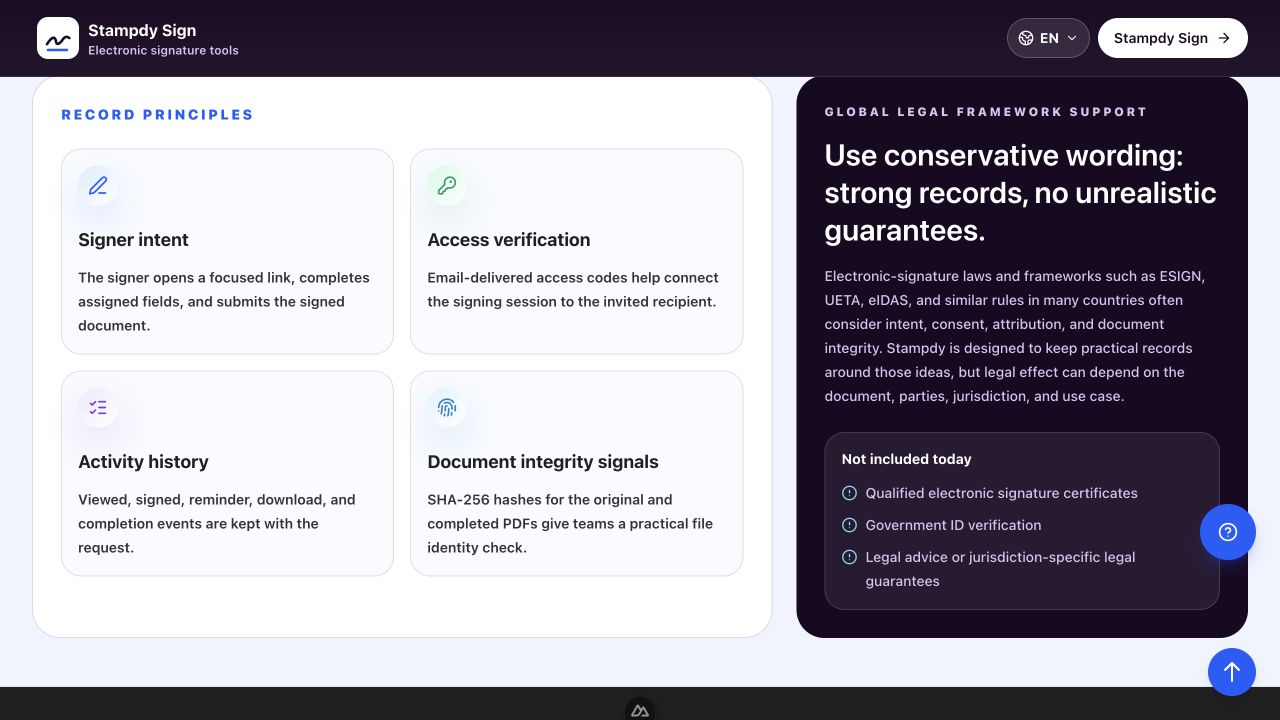
An electronic signature system may record a file hash, maintain an event history, restrict access to signing links, or preserve a completed file. Review each capability separately. A displayed hash can help identify a file, but the usefulness of that record depends on how it is generated, stored, and checked. An access code can add a step before viewing, but its strength depends on delivery and handling.
The Stampdy signature security page describes the records and controls available in the product. Compare them with the organization's threat model and policy instead of turning feature names into a general security guarantee.
A Decision Framework for PDF Approvals
Use this sequence before selecting a signing method:
- Classify the document. Identify its value, sensitivity, legal significance, retention period, and external requirements.
- Name the required evidence. List the transaction records, identity checks, authority confirmation, and technical validation the reviewer expects.
- Check the recipient's requirements. A counterparty or filing system may require a specific certificate, format, or validation result.
- Match the method to the requirement. Choose a tracked electronic signature when its workflow and records are sufficient. Choose a qualifying digital-signature method when cryptographic validation is explicitly required.
- Test the final artifact. Confirm that the recipient can open, inspect, and validate the PDF as expected.
- Store the evidence. Retain the completed document and required supporting records under the applicable policy.
If the requirement remains unclear, pause before sending. A short clarification from legal, compliance, information security, or the receiving party is cheaper than repeating the entire signing process with the correct method later.
Frequently Asked Questions
Is a typed name an electronic signature?
It can be part of an electronic-signature process when the applicable workflow and law recognize the action as indicating intent. The answer depends on context, consent, document type, and jurisdiction. A typed name should not be assumed to satisfy every transaction.
Is a scanned handwritten signature a digital signature?
No in the technical cryptographic sense. It is an image of a handwritten mark. It may be used within an electronic-signature workflow, but it does not perform the private-key signing and public-key verification associated with a digital signature.
Does a digital signature encrypt the PDF?
Not automatically. Digital signatures and encryption solve different problems. A digital signature can support origin and integrity checks, while encryption is used to protect confidentiality. A workflow may use both, but one does not imply the other.
Which option is better for a small business contract?
Choose according to the contract, parties, jurisdiction, identity needs, evidence requirements, and counterparty expectations. A tracked electronic-signature flow may be appropriate for many agreements, while another transaction may require a certificate-based digital signature or additional verification. Obtain qualified advice when the legal effect is material.
Conclusion
A digital signature is a cryptographic mechanism; an electronic signature is a broader way to record a person's electronic approval or intent. For PDF approvals, define the evidence and validation requirement first, then choose the method that satisfies it. Keep identity, authority, intent, integrity, and confidentiality as separate questions, and verify legal or technical requirements rather than assuming the stronger-sounding label is the correct one.