Electronic Signature: The Small-Team Check Before You Send a PDF
The easiest way to make an electronic signature process messy is to treat it like a final click. In a small team, the trouble usually starts earlier. Someone uploads the wrong PDF, a signer is copied in too late, the approval stamp came from an old file, and by Friday nobody is sure which version is the real one.
I would keep the process boring on purpose. Use the electronic signature workspace for the signing request, and prepare any stamp maker asset before the PDF starts moving. That way the document is not being redesigned while people are already being asked to approve it.
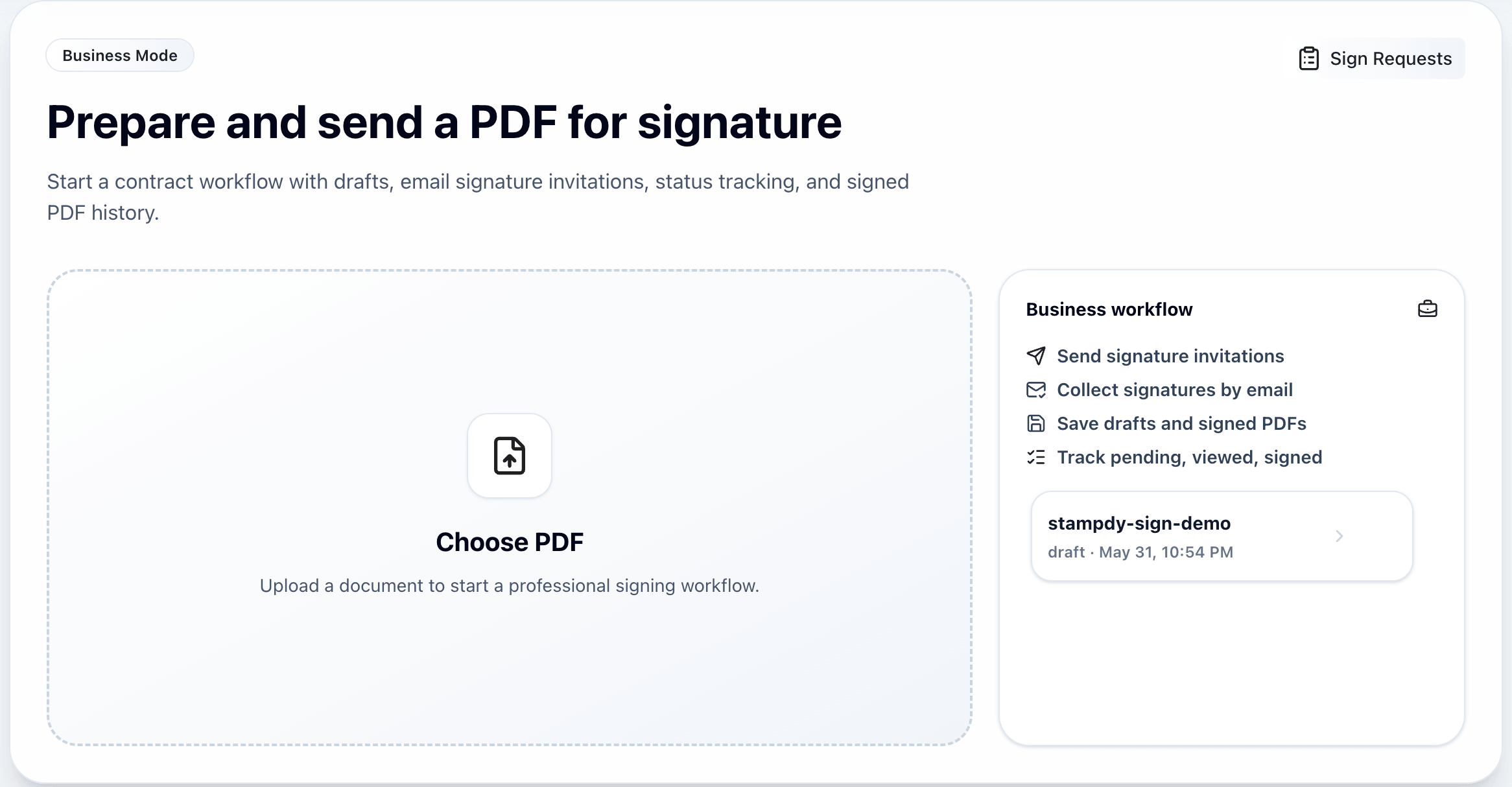
Start With The File On Your Screen
Before sending, open the file as if you were the signer. Is the date right? Are all pages included? Does the signature block sit near the actual decision, or is it buried on a page that looks unrelated? A supplier agreement, an offer letter, and an internal approval memo should not all be handled with the same lazy send pattern.
Name one owner for the request. Name the signer. Decide where the final PDF will live after completion. These details feel small until a client asks for the signed copy and the team finds three files with similar names.
For teams that also use stamps, this is where a stamp maker matters. If the document needs "Reviewed", "Approved", or a department seal, build that mark once and use the same export. Do not paste in a screenshot from last month's contract because it happens to be nearby.
A Normal Tuesday Example
Here is the kind of situation I would plan for. A two-person sales team needs a customer to sign a service agreement before the end of the day. The PDF is not complicated, but it has a price table, an effective date, a blank signature line, and a small company stamp near the approval section. Nobody thinks of this as a major legal operation. It is just one more document in a busy day.
That is exactly when mistakes slip in. The sender grabs the version from Slack instead of the version from the shared folder. The stamp was copied from an older agreement and looks a little soft. The customer signs, but the internal team later realizes the start date was still last week's draft date. Now the customer has to sign again, and the team looks less organized than it really is.
The better routine is slower for about two minutes and faster for the rest of the day. Open the PDF. Check the date. Check the customer name. Check the stamp. Check whether the signer needs to add anything besides the signature. Then send the request. This is not a heavy compliance ritual. It is just a habit that protects the relationship.
Small teams often avoid process because process sounds like paperwork. I would argue the opposite here. A short electronic signature routine removes paperwork because it prevents the awkward resend, the "which copy did you sign?" message, and the little apology email that nobody wants to write.
Where The Stamp Belongs
The stamp should help the signer understand the document, not make the page busier. If it marks internal review, keep it near the section that was reviewed. If it represents a company seal, place it where your team normally expects that mark to appear. If it is only a visual reminder that the document passed a preparation step, make sure it is not competing with the actual signature.
This is where the stamp maker and the electronic signature flow need to agree with each other. A stamp that looks clean in isolation can still be wrong for a signature page if it overlaps the signer name, crowds the date field, or looks more important than the signature itself. Review it in the final PDF, not only inside the stamp tool.
I would also keep one approved stamp asset per purpose. One approval stamp. One department seal. One paid stamp. If a teammate needs a variation, make the change deliberately and rename it clearly. The fastest way to lose trust in a document system is to let five nearly identical marks float around with no explanation.
Make The Request Easy To Follow
A signing request should answer three questions without a meeting: who needs to act, what they are signing, and what happens after they sign. The signature request view helps when several PDFs are moving at once and the team does not want to manage status in chat.
Use document names that still make sense outside the app. "NDA - Lee Vendor - June 2026" is better than "final-final.pdf". Add the signer name and role before sending. If the sender also needs to sign, treat that as a real step, not a casual follow-up.
One more useful distinction: the electronic signature shows consent or approval. A stamp adds office context, brand control, or routing information. They can sit on the same document, but they should not be used as if they mean the same thing.
What To Write Down Once
If I were setting this up for a small team, I would write a one-page internal note and stop there. It would say which folder holds unsigned drafts, which folder holds signed PDFs, who owns the request, what naming style to use, and which stamp files are approved. That is enough structure for most teams without turning a simple signing flow into an internal project.
The naming rule matters more than people expect. "ACME-service-agreement-signed-2026-06-22.pdf" is not glamorous, but it works. A teammate can search it, a manager can understand it, and a customer success person can attach it later without opening six files. The same logic applies to stamp assets. The approved mark should have a plain name that tells people what it is.
I would not try to solve every exception in advance. There will always be an odd contract, a rushed vendor form, or a customer who asks for a different format. The point is to make the ordinary path clear enough that exceptions stand out. If every signing request is improvised, nothing stands out and every file feels risky.
When The Sender Also Signs
One small detail causes a lot of confusion: the sender may also need to sign. In that case, do not treat the sender signature as a side task. Put it into the same plan as every other signer. Decide whether the sender signs first or last, and make sure the field is visible on the right page.
This matters for owner-approved documents, internal policies, partnership agreements, and anything where the person sending the file is also making a commitment. If the sender signs later by editing the PDF manually, the final record becomes harder to explain. Keep the signature action inside the same flow whenever possible.
For a small team, that kind of consistency is the difference between "we sent it" and "we can prove what happened." Search engines will never see that internal discipline, but customers and teammates will. It shows up in fewer follow-up questions, cleaner records, and less time spent asking who has the final copy.
Do Not Leave The Final Copy In Chat
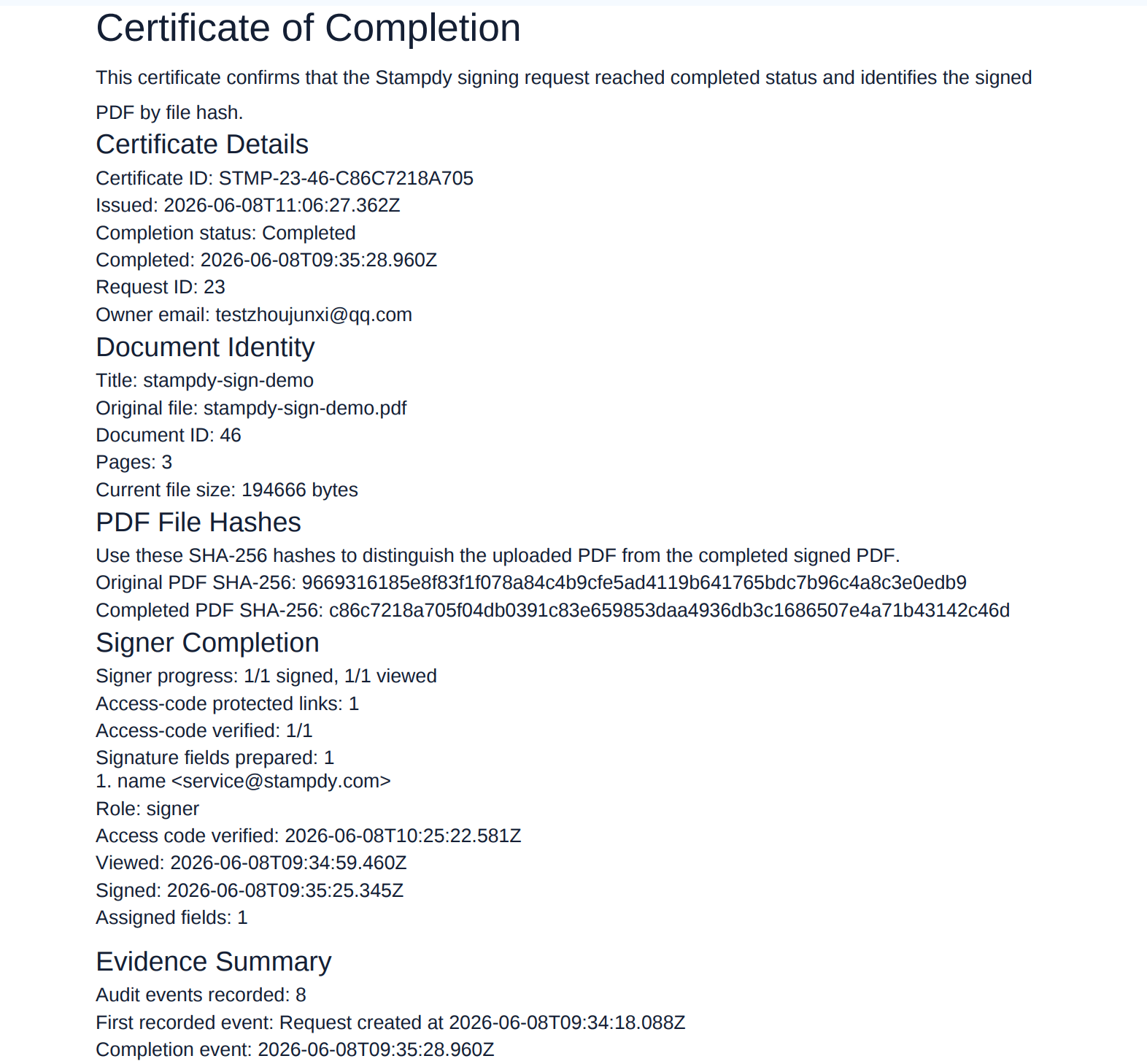
After signature completion, save the signed PDF where the team already keeps contracts, HR records, purchase orders, or client files. Chat is fine for telling people the document is done. It is not a filing system.
If your workflow needs a stamp, create it with the Stampdy stamp maker before the busiest part of the process. Export a clean image or file once, name it clearly, and avoid rebuilding the same mark for every document.
I would also review one completed request every now and then. Not as an audit, just as a sanity check. Open the signed PDF, look at the stamp, check the file name, and ask whether someone outside the team could understand the record without extra explanation. If the answer is no, adjust the routine while the problem is still small.
That review often reveals practical fixes: the stamp is too large, the signer role is unclear, the file name omits the customer, or the final PDF was saved in a personal folder. None of these are dramatic failures. They are small signals that the process needs a little more care.
If the same issue appears twice, make one rule. If people keep saving signed PDFs to the wrong place, change the folder shortcut or naming note. If stamps keep coming from old files, move the approved stamp maker exports into a more obvious shared location. The fix should be small enough that people actually follow it on a busy day.
That basic routine is enough to get started. Once a team has used it for a few weeks, a few other questions tend to appear. They are worth answering while the workflow is still small and easy to change.
Agree On What Ready To Send Means
"Ready" can mean several different things inside the same team. To the person who wrote the document, it may mean the wording is finished. To a manager, it may mean the commercial terms are approved. To the person sending the electronic signature request, it should mean the PDF is final, the signer is confirmed, every required field is present, and any stamp has already been checked on the page.
The difference matters because a document can be finished in one sense and still be unsafe to send. A sales proposal may have approved pricing but an old customer address. An employment letter may have the right salary but the wrong start date. A supplier form may be complete except for the internal stamp that tells finance it passed review. None of these problems is difficult to fix before sending. All of them become awkward after someone signs.
I would give the team a plain sentence they can use: "Ready to send means no one is still editing the file." That sentence settles more arguments than a long checklist. If legal, finance, or a manager still needs to review something, the document is not ready. If someone plans to add a stamp later, it is not ready. If the sender is waiting for the signer's exact legal name, it is not ready.
This boundary also protects the signer. They should not be used as the final proofreader for a document the team prepared. They may notice an error, of course, but the request should reach them as a finished decision, not as a draft that happens to contain a signature box.
Plan For The Person Who Is Out Of Office
Small-team workflows often depend on one careful person. That person knows which PDF is current, which stamp maker export is approved, how the request message should read, and where signed copies belong. The process feels simple until that person takes a holiday or is unavailable during a deadline.
A useful test is to hand the next routine request to someone else. Do not give them a long walkthrough. Point them to the working folder and the short internal note, then see where they hesitate. Their questions will expose the parts of the process that still live only in one person's memory.
They may ask whether the blue or black approval stamp is current. They may find two unsigned templates with similar names. They may not know whether the manager signs before the client. They may complete the request correctly but save the final PDF in a different folder. Each question suggests a small repair: archive an old asset, rename a template, add one line about signing order, or place a shortcut to the final-record folder.
The goal is not to make every employee a document specialist. It is to make an ordinary electronic signature request understandable without private knowledge. A team with three people needs this just as much as a team with thirty, because the absence of one person has a larger effect when there are fewer people available.
Handle Corrections Without Hiding Them
Sooner or later, a signed document will contain a mistake. Perhaps the effective date is wrong, a middle initial is missing, or an attached schedule was left out. The worst response is to quietly edit the completed PDF and continue as if nothing happened. That creates a file that no longer matches the document the signer actually reviewed.
For a material correction, go back to the source, fix it, give the new file a clear version name, and send a fresh request. In the request message, say what changed. A simple note such as "The start date on page one has been corrected from July 1 to July 8; all other terms are unchanged" is more respectful than making the signer compare two nearly identical files.
Keep the first signed copy according to your record policy rather than overwriting it with the correction. The old copy explains why a second request exists. The new copy becomes the active agreement once it is completed. If the change is minor but still needs formal treatment, ask the appropriate legal or operations owner whether an amendment is better than a full resend.
Stamps need the same honesty. If an incorrect approval stamp appears on the PDF, do not cover it with a second image and hope the page looks fine. Correct the document and the source asset. A stamp maker makes it easy to produce a revised mark, but the team still needs a clean explanation of which version was used and why.
Keep Sensitive Documents On A Need-To-Know Path
Electronic signature workflows often carry information that should not be shared casually: compensation, personal addresses, bank details, pricing, contract terms, or internal approvals. Small teams sometimes copy these files into broad chat channels because that is the fastest way to ask for help. The convenience lasts a minute; the extra copies can remain for years.
Decide who needs access before the request is sent. An HR letter should not sit in the same open folder as a marketing approval. A customer agreement may need sales, finance, and an authorized signer, but not the entire company. The completed copy should return to a controlled location rather than being attached to a celebratory group message.
This does not require an elaborate security program. Use the access controls already available to the team, avoid forwarding verification details, and do not download sensitive PDFs onto shared or public devices. When a teammate only needs to know that a document is complete, tell them the status instead of sending the file.
The same care applies to stamp files. A general "Reviewed" mark may be harmless. A company seal or authorized department stamp may deserve narrower access. Keep the approved export where the people preparing the relevant documents can find it, not in a public folder full of logos and social media assets.
Measure The Friction You Can Actually Fix
Small teams do not need a dashboard for every document. They can still learn from a few simple signals. How many requests were resent this month? How many signers asked where to sign? How often did someone have to search for the final copy? Which type of document waits the longest before completion?
Write down the reason when a request goes wrong. Use ordinary labels such as wrong PDF, wrong signer, missing field, outdated stamp, unclear message, or signer unavailable. After ten or twenty requests, the pattern will be more useful than anyone's memory. If half the resends come from incorrect dates, add the date to the pre-send check. If signers regularly miss a field on mobile, change the field placement.
Do not turn response time into a score for individual signers. A contract may wait because the person has a real question, is traveling, or needs internal approval. The useful measurement is process friction, not pressure. You are looking for steps the sending team can improve.
One practical measure is the number of messages needed after the request goes out. A clean request may need none. A confusing one produces a trail of "Is this the final version?", "Where do I sign?", and "Can you send the completed copy?" Reducing those messages is a meaningful win because it saves time on both sides.
Adapt The Routine To Different Documents
Not every PDF deserves the same ceremony. A low-risk internal acknowledgment may need one signer, one field, and a straightforward file name. A customer agreement may need internal review, a company stamp, two signers, and a carefully stored final copy. A hiring document may need restricted access and a clear deadline. The routine should become more careful as the consequences grow.
I would keep the core checks the same: correct file, correct people, clear fields, approved stamp, useful name, known storage location. Then add document-specific checks only where they earn their place. For an offer letter, verify compensation and start date. For a purchase order, verify vendor details and totals. For a service agreement, verify scope, effective date, and attachments.
This approach is easier to maintain than creating a completely different process for every department. People learn one common path and recognize the few checks that change. It also makes mistakes easier to discuss. Instead of saying "the HR process failed," the team can say "the common file check passed, but the offer-date check was missed."
The stamp maker should follow the same pattern. Keep common asset rules for naming, quality, and storage, then add purpose-specific guidance. A finance approval stamp may have a different owner from a company seal, even though both are prepared before the signature request.
Close The Loop With The Signer
Completion should not feel like the request disappeared into a system. When appropriate, make sure the signer can access the completed document and knows the action is finished. For a customer, this may be an automatic completed-copy email. For an employee, it may be a copy placed in the expected HR channel. For an internal manager, a short status update may be enough.
The sender should also close the loop internally. Move the PDF from the pending location to the signed-record location. Update any deal, onboarding, or vendor task that depended on it. Archive the unsigned working copy if the team no longer needs it in the active folder. A signature request that says complete while the surrounding work still says pending creates another kind of confusion.
This final step is easy to skip because the visible goal has been reached. The signature is on the page. Yet the practical value comes from what happens next: onboarding starts, an order is released, access is granted, or a contract becomes searchable. Connecting the signed PDF to that next action is part of a healthy electronic signature process.
None of this requires a giant policy document. It requires a repeatable way to send the right PDF, get the right person to sign, use the right stamp, and keep the final record somewhere people can actually find it. When the routine is clear, the technology fades into the background and the team can get back to the work the document was meant to support.