GPT Image 2.6 in the Stampdy AI Stamp Maker
Stampdy’s AI stamp maker now uses GPT Image 2.6. If all you have is a shop name and an idea, Flare can compose a stamp from those words. If you can already point to a border, emblem or arrangement you want to keep, Sunburst Edit can work from a visual reference. A bookseller dreaming up a new shop mark and a tour operator adapting a familiar travel seal can start in different places on the same page.
The November upgrade changes the image engine behind those choices. The download format carries over from version 2.5. Both routes still produce a square 2048 × 2048 transparent PNG. You can try a new design and place it in the same document layout you used for an earlier stamp.
How the AI stamp maker chooses between Flare and Sunburst Edit
The starting material determines the model. Open the AI stamp maker and the custom-style form uses Flare. The shape, stamp type, style, border and color controls give it the outline of a brief. The content field supplies the parts that make this particular stamp yours. Choosing Use Reference Image and selecting a template switches the job to Sunburst Edit. You can see the variant name change in the model badge.
Flare is the faster variant in the GPT Image 2.6 family. It suits a first layout where the designer still has several decisions to make. You might know that a bookshop stamp needs a book and a town name, yet have no preference about how the book's pages should be drawn. Giving Flare that decision is part of the point. An elaborate account of every line in a picture you have never seen is a difficult brief to write and a difficult result to judge.
Sunburst Edit is designed for more closely directed changes to an image. The reference gives it evidence that a description can easily miss, such as the way two palm trunks meet a shoreline or the gaps between stars around the edge. You can name the parts you want to keep and spend the remaining words on what should change. When an existing drawing has to stay exact down to its paths, keep the original artwork available for a direct comparison.
A Flare brief for a bookshop stamp
Suppose a bookshop wants a mark for the paper band around a wrapped order. In the custom-style form, choose a circle, a border and the intended ink color. Put the shop name, center symbol and location in the content field on separate lines. Here is the whole brief used in the form shown below.
Top: NORTH PIER BOOKS
Center: open book
Bottom: BRIGHTON
There is one drawing request and there are two strings of lettering. That division matters. “Open book” describes the picture, while BRIGHTON is a word the recipient should actually see. If the shop also wants a founding date, decide where it belongs before generating. A fourth line that just says “2018” leaves open whether the number is part of the shop name, a date beneath the book or a label somewhere on the edge.
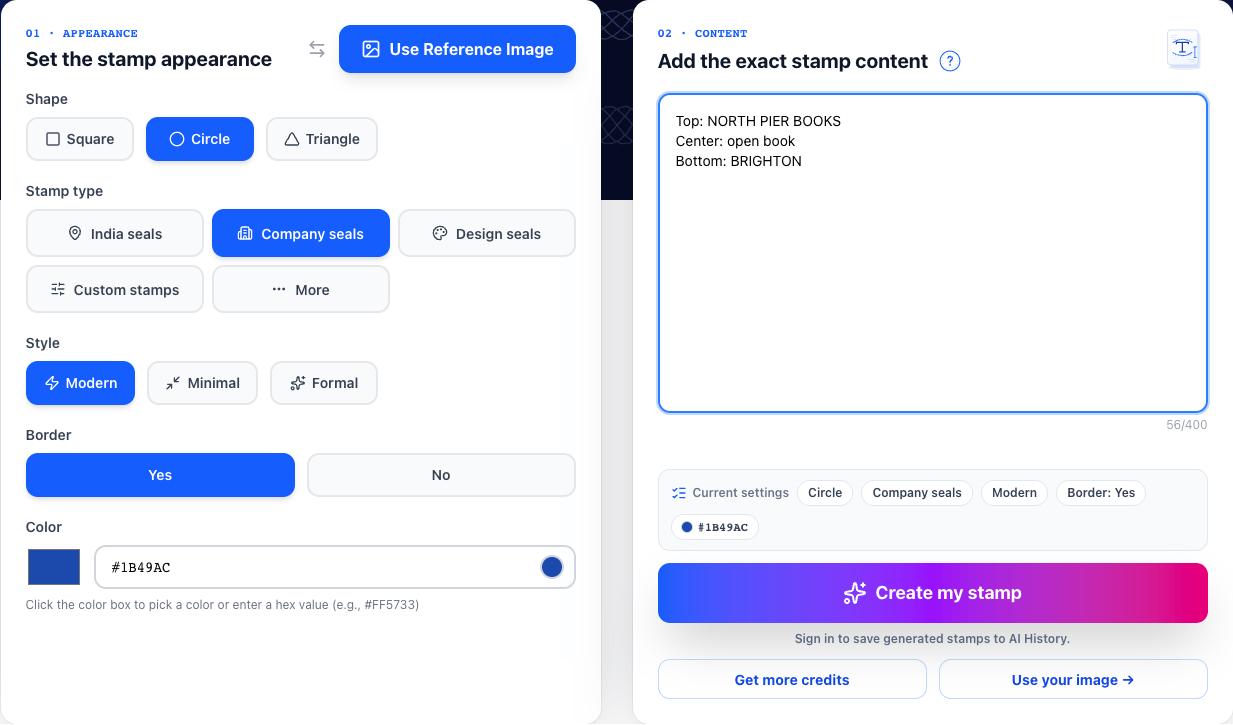
Write the name with the capitalization and punctuation you need. “NORTH PIER BOOKS” and “North Pier Books” have different silhouettes. A long line in capitals can occupy much of a ring even when the phrase looks short on screen. If the final use is a narrow paper band, a broad open-book silhouette with two or three clear page lines is a more practical request than a tiny library scene. That choice comes from knowing what the bookseller intends to stamp.
The first proof can answer a useful question even if you decide to revise it. Fold a sample band around a book and place a print of the design where the overlap falls. If a word disappears under that fold, change the placement or the size on the band. Another generation would spend a credit to address a problem in the packaging.
A Sunburst Edit brief for a travel template
Now take a different job. A walking-tour operator likes the round travel template with palm trees and a row of stars. The example wording reads LIBERIA and TRAVEL COMPANY. The operator wants the same seaside character under its own name. Choosing that template gives the engine a much clearer description of the desired artwork than a general request for a tropical stamp.
Outer ring: NORTH COVE TRAVEL
Bottom: WALKING TOURS
Keep the palm trees and the open center.
The selected template and the instructions appear side by side on a wide screen. Read the old words once before submitting. Here, NORTH COVE TRAVEL replaces a short place name with three words. The model has to accommodate the extra letters and keep them clear of the stars. If the long phrase needs most of the circumference, you may prefer the short name NORTH COVE above and WALKING TOURS below. That is an editorial choice the operator can make before paying for a variation.
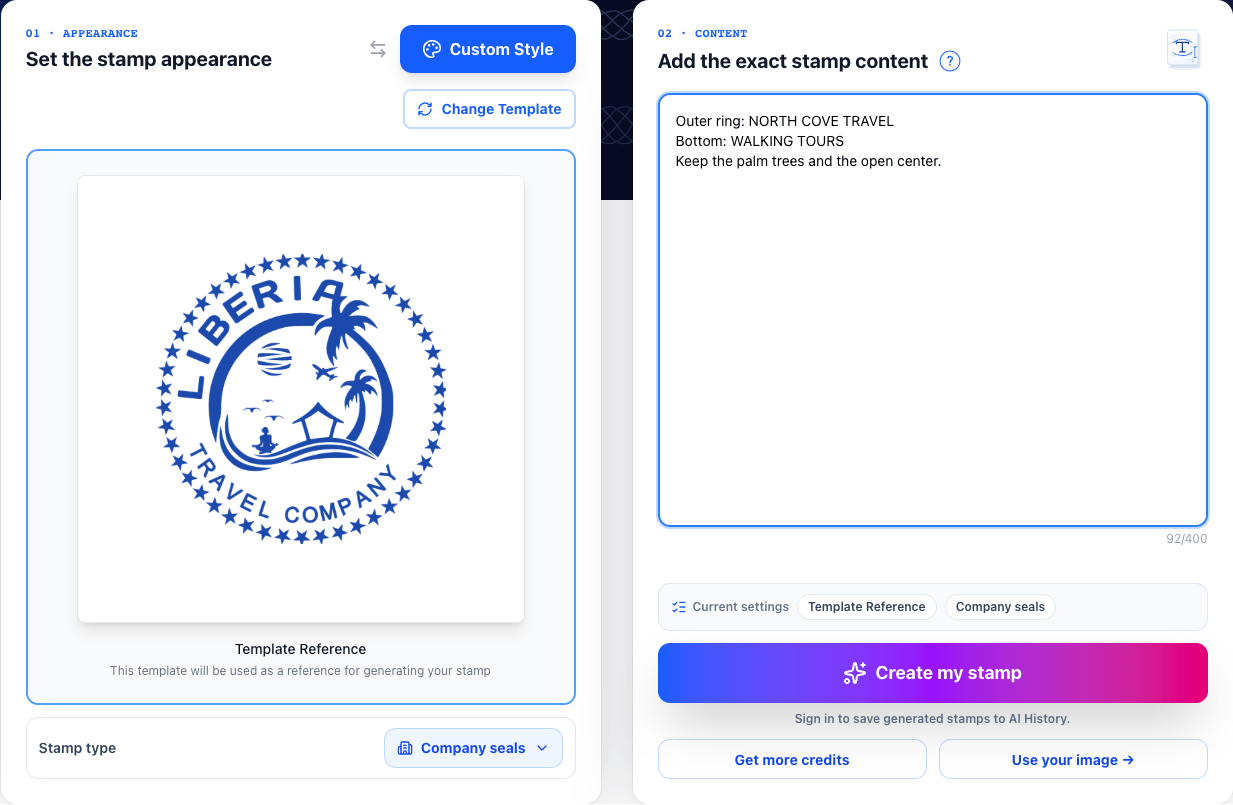
Judge the edit against the parts of the source that made you choose it. For this template, count the palms and look at the open gap above the shore. Read both arcs, then scan just outside them for any leftover sample wording. A variation can have attractive new lettering and still lose the gap that made the original picture read so clearly. Naming one visual feature in the brief gives you something specific to check in the proof.
When your own logo is the reference
A company often has one asset more useful than any template. It might be a drawing of a lighthouse with a distinctive slanted roof, already printed on its stationery. Use the image stamp maker for an uploaded logo to supply that drawing to Sunburst Edit. Choose artwork with the whole roof and base visible. A screenshot that clips the tip leaves the model to infer a detail that customers may recognize immediately.
For the lighthouse, an effective instruction might read, “Keep the sloping roof and two windows. Use one dark ink. Set HARBOR PRESS below the tower.” This gives the model some freedom to simplify the wall texture. It also identifies the features that should survive that simplification. If the two windows are part of the identity, compare their shapes as well as their number. A matched count with an entirely different silhouette may still be the wrong mark.
There are jobs where the best use of the original logo is to place it directly in the manual stamp editor. Packaging that must reproduce an approved mark exactly is one example. The image-based AI route is valuable when you want an interpretation, such as a single-ink emblem derived from a shaded illustration. Keep the original and the interpreted stamp beside one another when asking the owner to approve the design.
What a transparent 2K PNG gives you at proof time
The PNG has 2048 pixels along each edge of the square. That gives you room to inspect a letter joint or the gap between a symbol and a border. It does not set the mark's physical width on paper. Place the image into the intended document, set the width there and check a print at that size. The visible ink may occupy less than the full square if the artwork has clear margins.
Try two backgrounds during review. Over white paper, inspect the ink color and read each letter at the intended size. Over a colored block, check the counters inside letters such as B and O, the spaces between the pages of the book and the area just beyond the outer circle. A white patch can go unnoticed on white stationery and become conspicuous on a blue label. Move the same PNG between backgrounds so the artwork itself is held constant.
Keep a copy of the approved wording next to the image. A person familiar with the shop may read what they expect to see. Checking the last word first, or reading the town and the shop name separately, can reveal a missing letter. Inspect a date digit by digit. A detailed image can make an incorrect character exceptionally clear. Once the lettering is right, check the whole design again at its ordinary viewing size.
Frequently Asked Questions
Do I need to select GPT Image 2.6 myself?
The AI tools select it for you. A fresh design from text uses Flare. A selected stamp template or an uploaded image uses Sunburst Edit. Generation uses AI credits, and the upgrade carries no separate model fee. Before starting another draft, decide what you want that draft to answer.
Can I correct a word in the generated PNG as a text layer?
The generated letters are pixels in the PNG. If you expect the same design to carry different branch names or dates every week, build a version with editable text in the manual editor. An AI draft can still help you settle the larger question of where you want the name, date and emblem to sit.
Does the smaller, faster variant mean every job finishes in a fixed time?
Completion time varies. A detailed template edit can take several minutes. Leave the pending request open while the tool prepares the image. When it appears, start with the one feature you asked the engine to create or preserve. That makes it easier to decide whether another draft would answer any outstanding question.
Conclusion
Open the AI stamp maker with either a few lines of exact copy or one reference you can explain. For the bookshop, write the name, town and single drawing request and let Flare propose the composition. For the tour operator, select the palm-tree seal and tell Sunburst Edit which words to replace. Put the resulting PNG on one real-size sample of the band or tour card, and approve it only after you can read every word there.